
Açıklama
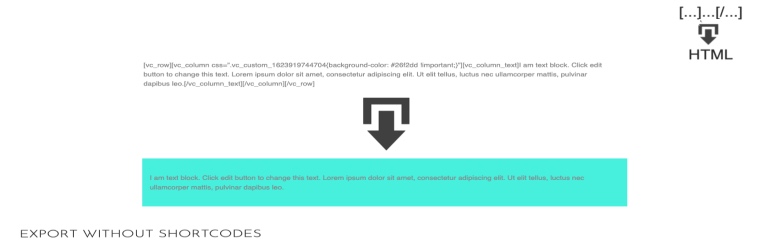
After activation when you export your content, it runs all the shortcodes during the exporting process.
The exported file will not have any more something that looks like [vc_row]…[/vc_row], but the related HTML output.
It’s useful if you want to export the blog posts that were edited with a page builder, but you don’t want anymore the same page builder on the new website.
You can even use it on the same website if you want to convert the content of a page builder to pure HTML.
If a plugin introduces a specific shortcode, and you want to convert that shortcode to pure HTML, then that plugin has to be active during the exporting process.
Export Without Shortcodes works when you export the content from Tools => Export.
In Tools => Export you will also find a field where you can list the shortcodes that you want to keep.
İncelemeler


Katkıda Bulunanlar ve Geliştiriciler
“Export Without Shortcodes: convert to pure HTML the exported content” açık kaynaklı yazılımdır. Aşağıdaki kişiler bu eklentiye katkıda bulunmuşlardır.
Katkıda bulunanlar
“Export Without Shortcodes: convert to pure HTML the exported content” eklentisini dilinize çevirin.
Geliştirmeyle ilgilenir misiniz?
Kodu görüntüleyin, SVN deposuna göz atın ya da RSS ile geliştirme günlüğüne abone olun.
Değişiklik Kaydı
0.0.3
- Fixed: PHP warning
0.0.2
- Added: settings in Tools => Export to decide which shortcodes should be kept
0.0.1
- First release