

Açıklama
**Global Weather Pro provides accurate weather forecasts and critical weather alerts for locations around the world. To offer maximum flexibility, Global Weather Pro includes two distinct widgets optimized for different placements: a comprehensive header widget and a compact sidebar widget. Effortlessly display current conditions, detailed 7-day forecasts, air quality, and severe weather alerts to keep your visitors informed and engaged. Perfect for any website, Global Weather Pro offers precision and flexibility to ensure an enhanced user experience, now featuring stunning, AI-generated animated images for all 60+ WeatherAPI’s weather conditions in the widget’s header. Make the widgets your own with 18 professional typefaces — and self-host every one of them with a single click for a fully Google-free, privacy-friendly setup. All weather data and alerts are sourced from WeatherAPI, a well-known and trusted weather provider, ensuring reliable and professional-grade forecasts you can count on. Global Weather Pro handles all API communications through our dedicated service, meaning you get reliable data from top providers like WeatherAPI without needing to sign up for, manage, or pay for your own API keys.
Check out the live demos to see both widgets in action: Sidebar Demo
Header Demo
Features:
- Critical Weather Alerts: Keep your audience safe and informed with timely notifications for severe weather events, sourced directly from WeatherAPI. Alerts are prominently displayed within the widget to ensure maximum visibility.
- No API Keys Needed: Instantly set up and deliver weather forecasts without any third-party signups or costs. Global Weather Pro handles all API communications through our dedicated service.
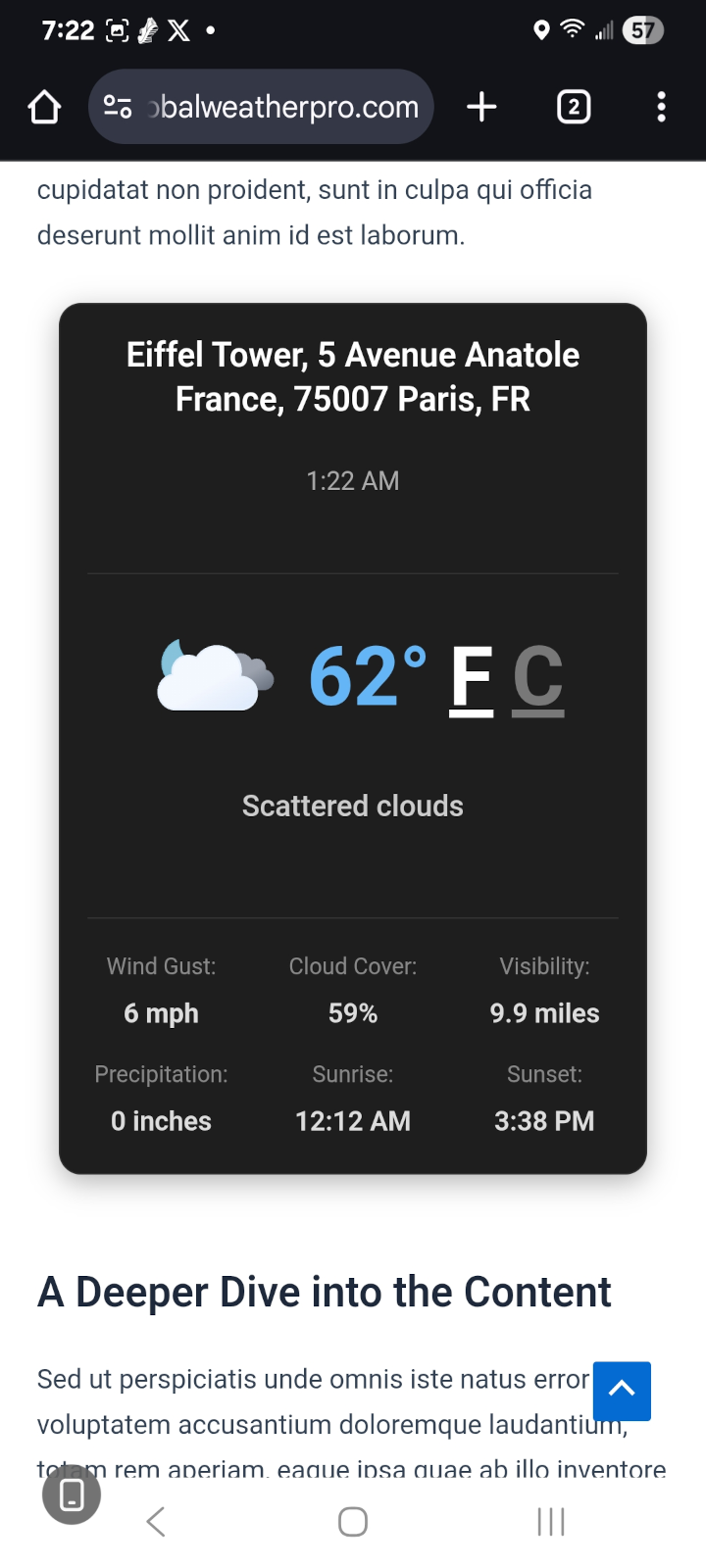
- Responsive on Every Screen: Both widgets adapt to the space they are given. On phones the header widget reflows into a single-column card that opens collapsed, so the current conditions are visible immediately and the full parameter readout and forecast strips are one tap away.
- Dual Widget Design: Comes with two specialized widgets—one designed for prominent header placement and another optimized for sidebars, ensuring a perfect fit for your theme’s layout.
- Professional Dark & Light Themes: Choose between a rich, innovative Dark Mode featuring a slate-based palette with frosted glass effects and cyan accents, or a clean, polished Light Mode—both designed for a modern weather app aesthetic.
- AI-Generated Animations: Stunning AI-generated animated images for all 60+ weather conditions are displayed in the header of the weather widget, creating a beautiful user experience.
- Accessibility Compliant (WCAG): Built with comprehensive ARIA attributes, semantic HTML, keyboard navigation support, and reduced motion preferences for an inclusive experience for all users.
- Detailed Hourly & Daily Forecasts: Provide a true, 24-hour, hour-by-hour forecast and a 7-day forecast. Display key metrics like temperature, chance of rain, humidity, UV index, air quality, and more.
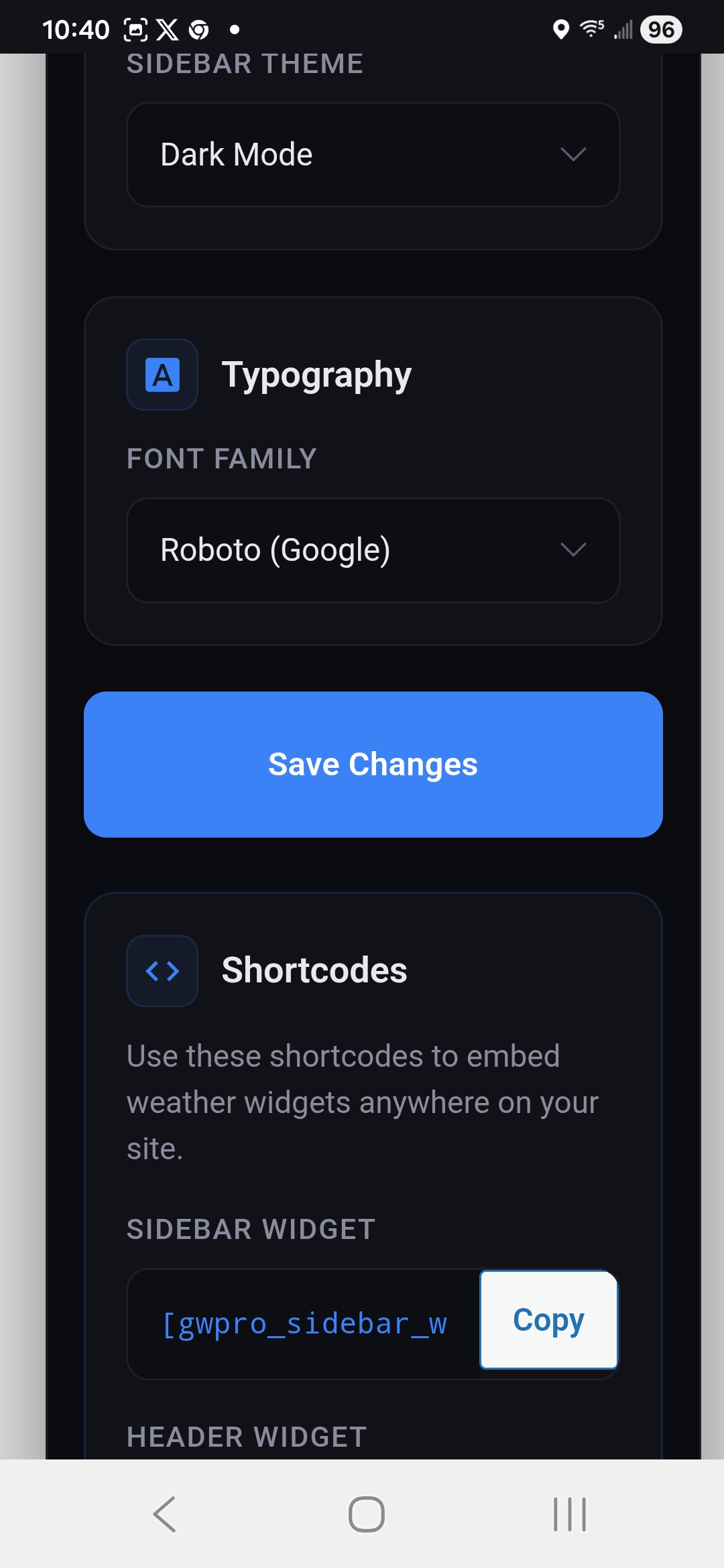
- Shortcode Support: Includes separate, reliable shortcodes for both the header and sidebar widgets ([gwpro_header_weather] and [gwpro_sidebar_weather]) for easy embedding anywhere on your site.
- Flexible Placement (Widgets & Shortcodes): Seamlessly add widgets to your header, footer, or sidebar. You can also use the simple shortcodes ([gwpro_header_weather] and [gwpro_sidebar_weather]) to embed forecasts anywhere on your posts or pages.
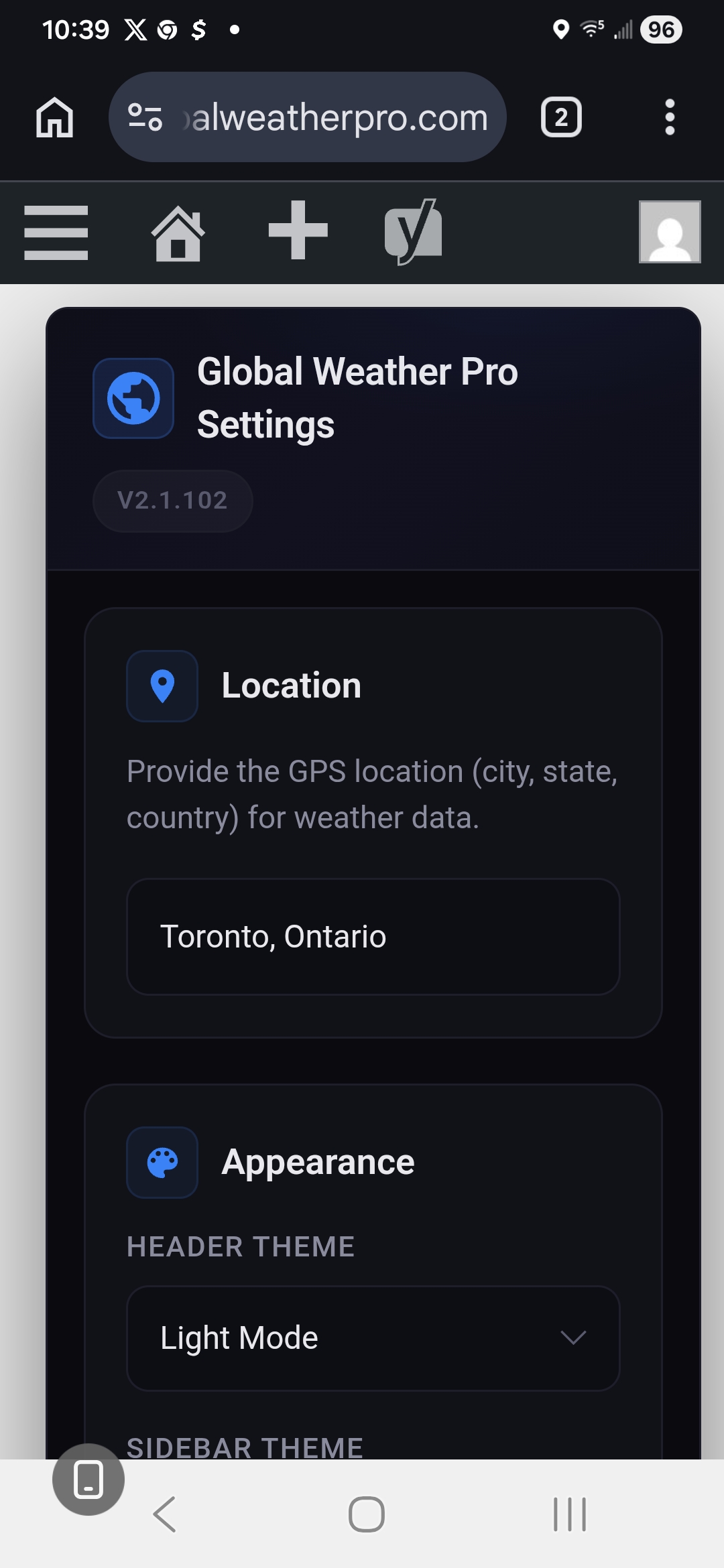
- Font Customization: Personalize the widget’s appearance by choosing from 18 professional Google Fonts organized into Sans-Serif, Serif, Monospace, and Display categories, including Roboto, Open Sans, Inter, Montserrat, EB Garamond, Merriweather, Playfair Display, Roboto Mono, Poppins, and more. The widget layout stays pixel-consistent no matter which font you choose.
- Privacy-First Font Self-Hosting: Prefer not to link your site to Google’s Font API? One click on the settings page downloads all 18 font families directly to your own server (each with its license file included), so visitor browsers never contact Google Fonts. Any font not yet downloaded automatically falls back to Google’s CDN, so nothing ever breaks.
Whether you run a blog, business website, or community portal, Global Weather Pro makes it easy to share up-to-date weather insights with your audience.
Third-Party Services
Global Weather Pro API
-
Fetches weather data.
-
No personal data collected.
-
Accessed at:
-
Privacy Policy: https://globalweatherpro.com/gwpro-privacy-policy
WeatherAPI
- Provides weather forecasts and alerts.
- Location data (entered by site owner) sent; no personal data collected.
- Accessed at:
- Weather condition icons served from: https://cdn.weatherapi.com/weather/
- Privacy Policy: https://www.weatherapi.com/privacy.aspx
Geoapify API
- Provides geolocation services.
- No personal data collected.
- Accessed at: https://api.geoapify.com/v1/geocode/search
- Privacy Policy: https://www.geoapify.com/privacy-policy/
Google Fonts API
– This service is used to load and display the custom font selected in the widget settings, but only for fonts that have not yet been self-hosted. Once a font is downloaded via Settings > “Download & Self-Host All Fonts,” it is served entirely from your own server and visitor browsers never contact Google.
– Personal Data: When a font loads from Google’s CDN, Google may collect data such as visitor IP addresses in order to serve the font files. Self-hosted fonts send no visitor data to Google.
– Access: Visitor browsers access https://fonts.googleapis.com (stylesheet) and https://fonts.gstatic.com (font files) only while a selected font is not self-hosted. When the site owner runs the one-click download tool, these same two endpoints are contacted once, server-side by your WordPress site, never by your visitors, to fetch the font files.
– Privacy Policy: Refer to Google’s privacy policy here: https://policies.google.com/privacy.
Third-Party Fonts & Licenses
This plugin offers 18 Google Fonts as font-family options. When downloaded via Settings > “Download & Self-Host All Fonts,” the actual font files are saved to this plugin’s own /fonts/ directory (one subfolder per font, each including a LICENSE.txt). Both licenses below permit free use, modification, and self-hosted redistribution:
- Apache License, Version 2.0 (Roboto, Roboto Mono) — http://www.apache.org/licenses/LICENSE-2.0
- SIL Open Font License, Version 1.1 (Open Sans, Inter, Lato, Source Sans Pro, Raleway, Montserrat, Nunito, EB Garamond, Merriweather, Playfair Display, Lora, Crimson Text, Source Code Pro, Fira Code, Poppins, Quicksand) — https://scripts.sil.org/OFL
Until a given font is self-hosted, it is instead loaded live from Google Fonts under the same license terms; see “Google Fonts API” under Third-Party Services above for that data flow.
Ekran Görüntüleri


Yükleme
- Upload the plugin files to
/wp-content/plugins/global-weather-proor install through the WordPress plugin screen. - Activate the plugin through the ‘Plugins’ menu.
- Navigate to “Appearance” > “Widgets” and add either the “Global Weather Pro Header” or “Global Weather Pro Sidebar” widget to your desired location.
- Alternatively, embed the widgets directly into posts and pages using a shortcode: Use [gwpro_header_weather] to display the header widget. Use [gwpro_sidebar_weather] to display the sidebar widget.
SSS
-
How do I display the widget?
-
To display the Global Weather Pro widget, you have a few options:
Widget Menu: Navigate to “Appearance” > “Widgets” in your WordPress admin panel. From there, you can add either the “Global Weather Pro Header” or “Global Weather Pro Sidebar” widget to your desired location, such as your header, footer, or sidebar.
Shortcodes: For more flexibility, you can embed the widgets directly into your posts and pages using shortcodes.
Use [gwpro_header_weather] to display the header widget.
Use [gwpro_sidebar_weather] to display the sidebar widget.
It is important to note that the original shortcode, [gwpro_global_weather_pro], now functions as an alias for the sidebar widget shortcode ([gwpro_sidebar_weather]) for backward compatibility. Therefore, any existing instances of the old shortcode will continue to work without issue. -
Does Global Weather Pro use AI?
-
Yes. Global Weather Pro uses artificial intelligence for its visual layer. Every one of the 60+ weather conditions reported by WeatherAPI (condition codes 1000–1282) has its own AI-generated animated image, displayed in the header of the weather widget so the animation always matches the reported condition, including day and night variants for clear skies.
To be clear about what the AI does and does not do: the artificial intelligence is used to create the weather animations only. The forecasts, air quality readings, and severe weather alerts themselves are not AI-generated or AI-predicted, they come directly from WeatherAPI, a professional meteorological data provider. Your visitors see AI-created artwork paired with real, trusted weather data.
-
Are the AI-generated weather animations self-hosted?
-
Yes. All AI-generated animation files are bundled with the plugin and served from your own site, so displaying them requires no third-party image service, no AI API key, and no per-request AI costs. Nothing is generated on the fly at page load, the artificial intelligence work was done in advance, so the animations add no latency.
-
What happens during severe weather?
-
Severe weather alerts are sourced from WeatherAPI and displayed prominently inside the widget so visitors see them immediately. Alerts appear alongside current conditions in both the header and sidebar weather widgets, and no configuration is required, alerts for the widget’s location surface automatically whenever the provider issues them.
-
Is the plugin compatible with all WordPress themes?
-
Global Weather Pro is designed to work with most WordPress themes. If you experience any issues, please create a topic on our official WordPress support forum so our team and the community can assist you: Official Plugin Support Page
İncelemeler
Bu eklenti için herhangi bir değerlendirme bulunmuyor.
Katkıda Bulunanlar ve Geliştiriciler
“Global Weather Pro: Weather Widget for WordPress” açık kaynaklı yazılımdır. Aşağıdaki kişiler bu eklentiye katkıda bulunmuşlardır.
Katkıda bulunanlar
“Global Weather Pro: Weather Widget for WordPress” eklentisini dilinize çevirin.
Geliştirmeyle ilgilenir misiniz?
Kodu görüntüleyin, SVN deposuna göz atın ya da RSS ile geliştirme günlüğüne abone olun.
Değişiklik Kaydı
For the complete version history (all releases), see the readme.txt revision log: https://plugins.trac.wordpress.org/log/global-weather-pro/trunk/readme.txt
2.7.7 – 2026-08-25
- Security: Text From the Weather Service Is Now Escaped Before Display. Both widgets build their markup as a single template string and insert it with innerHTML, which meant any text arriving from the data service was interpreted as markup rather than treated as text. Severe weather alert titles and descriptions are the clearest case: they are third-party content the site owner never writes or reviews, and they are the one field long enough to conceal markup. Every upstream value written into the widgets is now escaped on the way in, covering alert titles and descriptions, the geocoded place name, the current condition wording (including where it appears as an image description), the last-updated time, and the day names and times in the forecast strips. There is no indication that any such content was ever served; this removes the possibility rather than addressing an observed problem.
- Security: Forecast Icon Addresses Are Validated Before Use. Weather condition icon addresses supplied by the data service were written directly into an image tag. They are now accepted only if they are a well-formed absolute http or https address. Anything using another scheme, or containing a quote, a space, or an angle bracket that could break out of the attribute, is discarded instead of rendered.
- Fix: A Missing Forecast Icon No Longer Caused the Page to Be Downloaded Twice. When an icon address was absent, the hourly and 7-day strips still rendered an image tag with an empty address. Browsers resolve an empty image address by re-requesting the current page and attempting to read the HTML as image data, so every visitor paid for a second download of the page. The attribute is now omitted entirely when there is no usable address.
2.7.6 – 2026-08-24
- New: Header Widget Now Displays on Phones. The header widget was previously removed altogether on mobile devices, so the animated weather conditions were never seen by mobile visitors. It now renders at every screen size. Below 600px it reflows into a single-column card and opens collapsed, showing the location, the animated condition, the current temperature and the condition description, with a “Show details & forecast” control revealing the full parameter readout and both forecast strips. Tablet and desktop layouts are unchanged.
- Fix: 7-Day Forecast No Longer Overflowed Narrow Screens. Unlike the hourly strip, the 7-day strip had no scroll container, so its seven fixed-width columns forced the entire page to scroll sideways on a phone. It now scrolls horizontally within the widget.
- Change: Time Shown in the Widget Is Now the Forecast Location’s, Not the Visitor’s. The time displayed beside “Last Updated” in the header widget, and beneath the location in the sidebar widget, was taken from the visitor’s own device clock. A visitor two time zones away from the configured location saw their own wall time presented as the widget’s, and because that value is regenerated on every page load it always appeared current no matter how old the underlying weather data was. Both widgets now show the current local time at the forecast location, derived from its IANA time zone. Note that this is the location’s clock rather than the moment the forecast was retrieved; weather data is served from a cache with a one-hour freshness window, so the figures shown can be up to an hour old.
- Fix: Overlapping Controls on Narrow Screens. The forecast toggle buttons and the severe weather alert icon are positioned against the widget’s bottom-right corner at desktop widths, which placed them on top of the forecast content on a phone. Both now sit in the normal flow below 600px, with the alert icon raised above the forecast so it is visible without expanding the card.
- Fix: JavaScript Error on Mobile Pages Without the Header Widget. The removed mobile check read a style property from the widget container without first confirming it existed, throwing a TypeError on any mobile page that did not include the header widget.
- Enhancement: Larger Touch Targets. Forecast category tabs are now a single swipeable row with 44px touch targets on phones rather than wrapping into four rows of small buttons.
For older releases, see changelog.txt.