
Açıklama
Fortress Login Pro is a battle-ready security plugin that replaces your WordPress login page (wp-login.php) with a private, rotating URL that only you control.
🛡️ It doesn’t just hide the login—it lets you track, rotate, and control it.
Perfect for freelancers, agencies, eCommerce owners, and anyone tired of blind brute-force attacks.
🔐 Key Features
- Custom Login URL: Hide
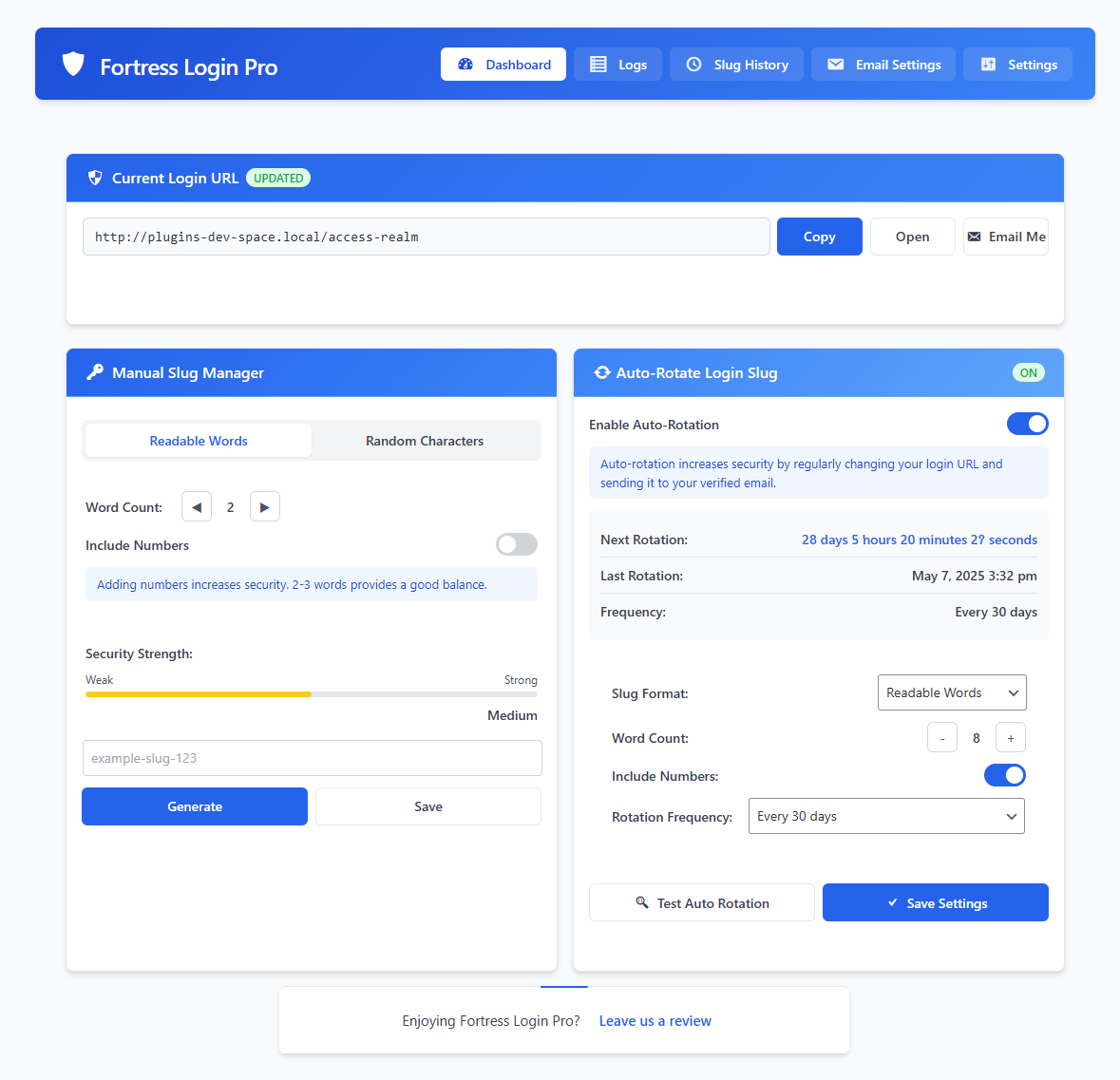
wp-login.phpand set your own private login path - Auto-Rotate Slugs: Automatically change your login URL on a custom schedule
- Dual-Slug Rotation Safety: Keep the old URL live until the new one is used (fail-safe)
- Slug Generator: Choose readable word combos or full-random slugs (with number support)
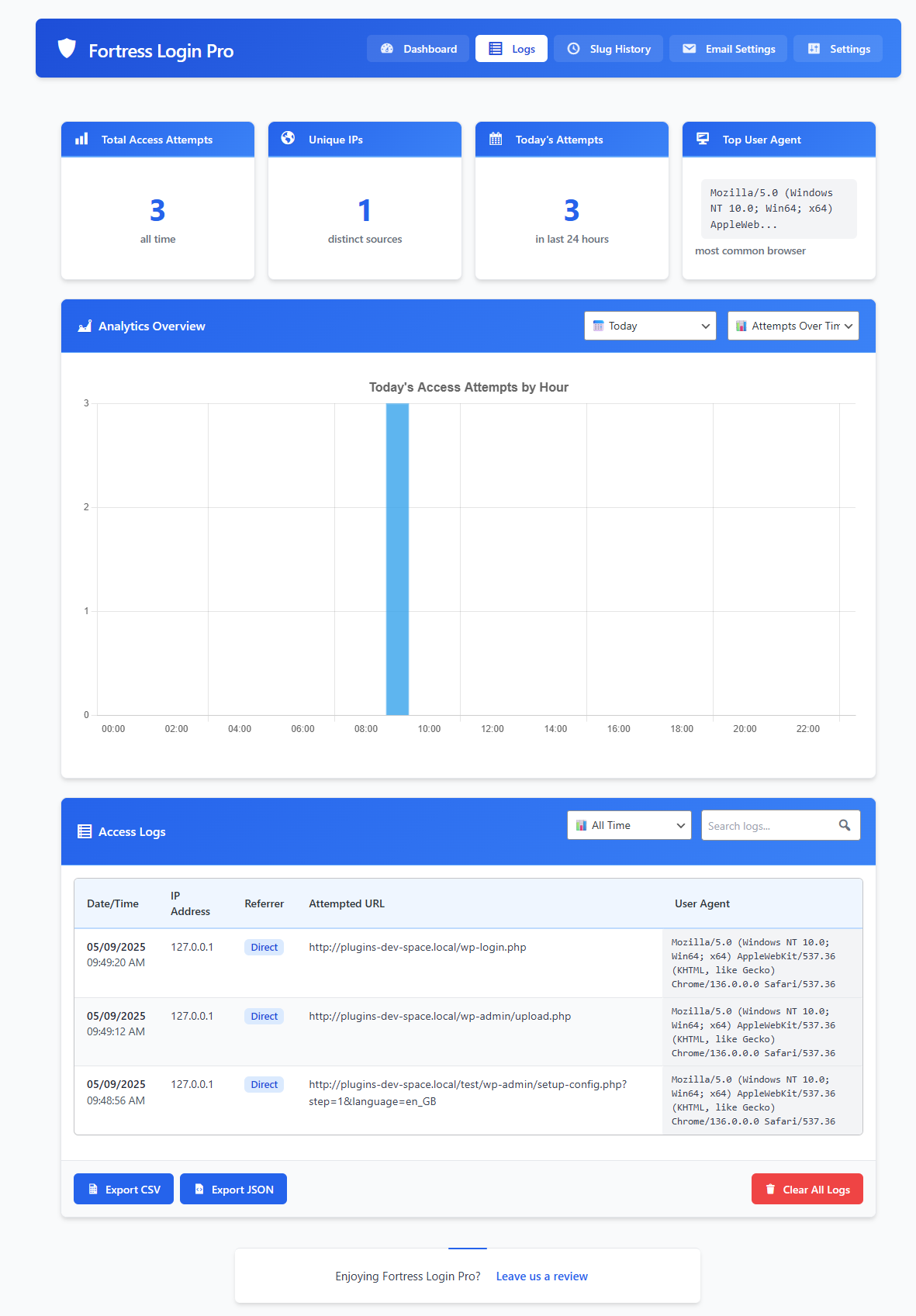
- Access Logs & Charts: See IPs, timestamps, referrers, and user-agents by login attempt
- Export Logs: Download access history or slug changes in CSV or JSON
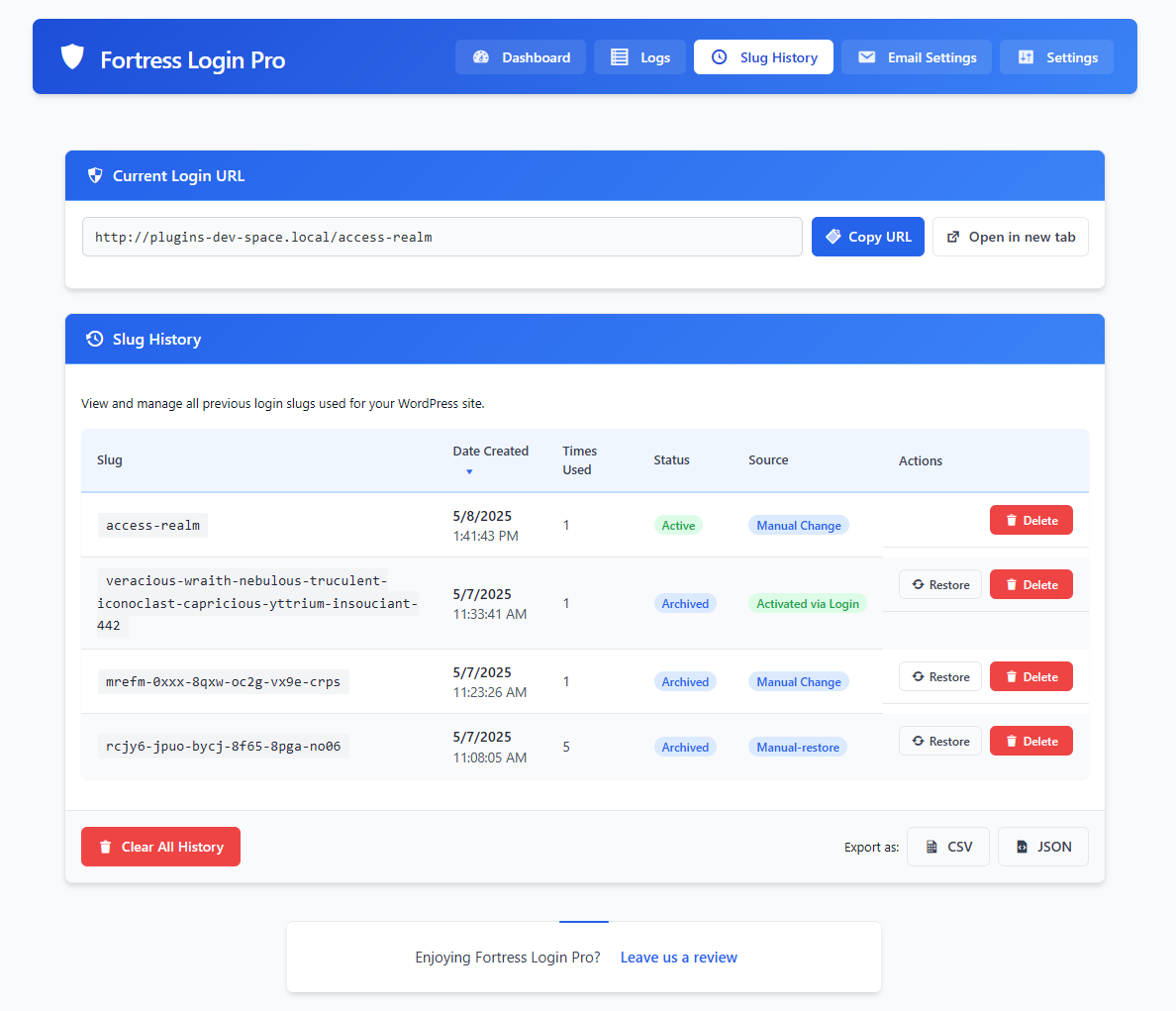
- Slug History Panel: Restore, archive, or delete old slugs anytime
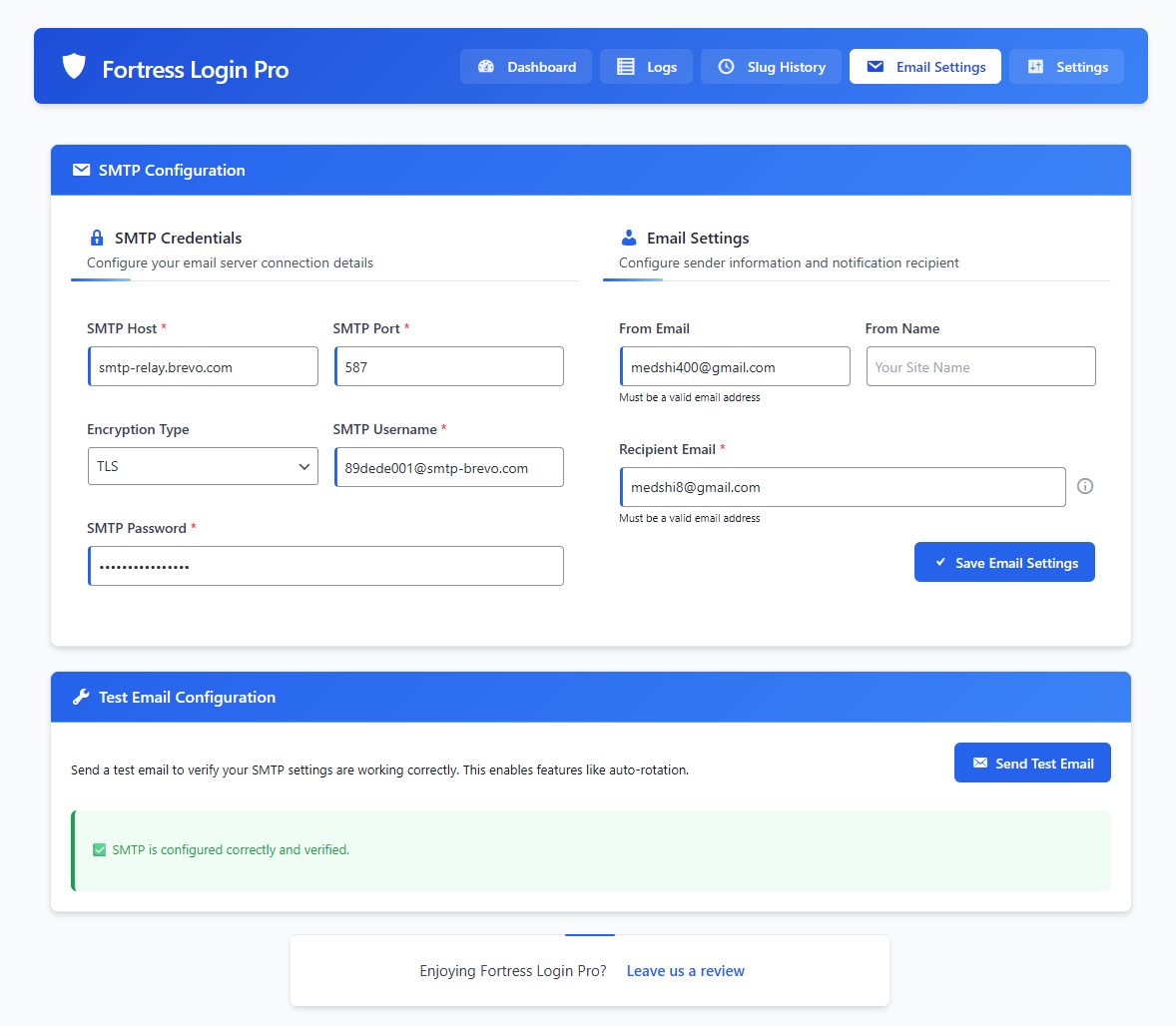
- SMTP Configuration: Set up outgoing email for login slug alerts and rotation notices
- Test Email & Rotation: Built-in checks before activating rotation so you don’t get locked out
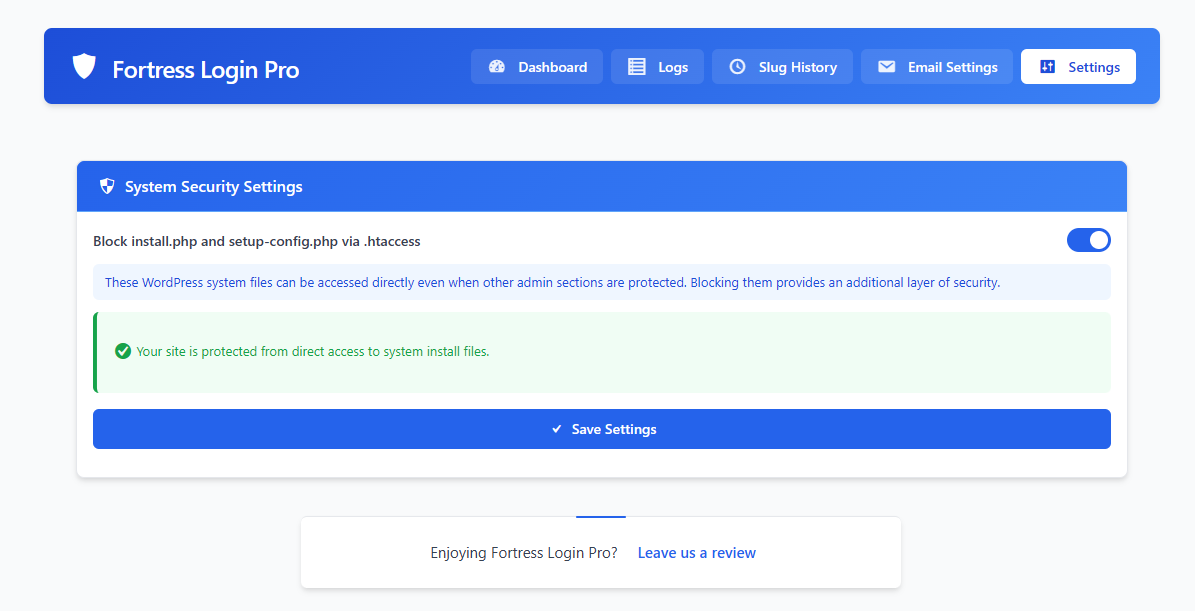
- System File Protection: Optional toggle to block access to
install.phpandsetup-config.phpvia.htaccess - Clean UI: Fast, modern dashboard with zero bloat or upsell traps
✅ Works With
- WooCommerce, Easy Digital Downloads, and major eCommerce plugins
- Membership systems like MemberPress, Paid Memberships Pro
- Popular security plugins: Wordfence, iThemes, Sucuri
- Caching tools like WP Rocket, Cloudflare, W3 Total Cache
🚀 Why Fortress (vs limit login or captcha plugins)?
Most plugins try to respond to brute-force.
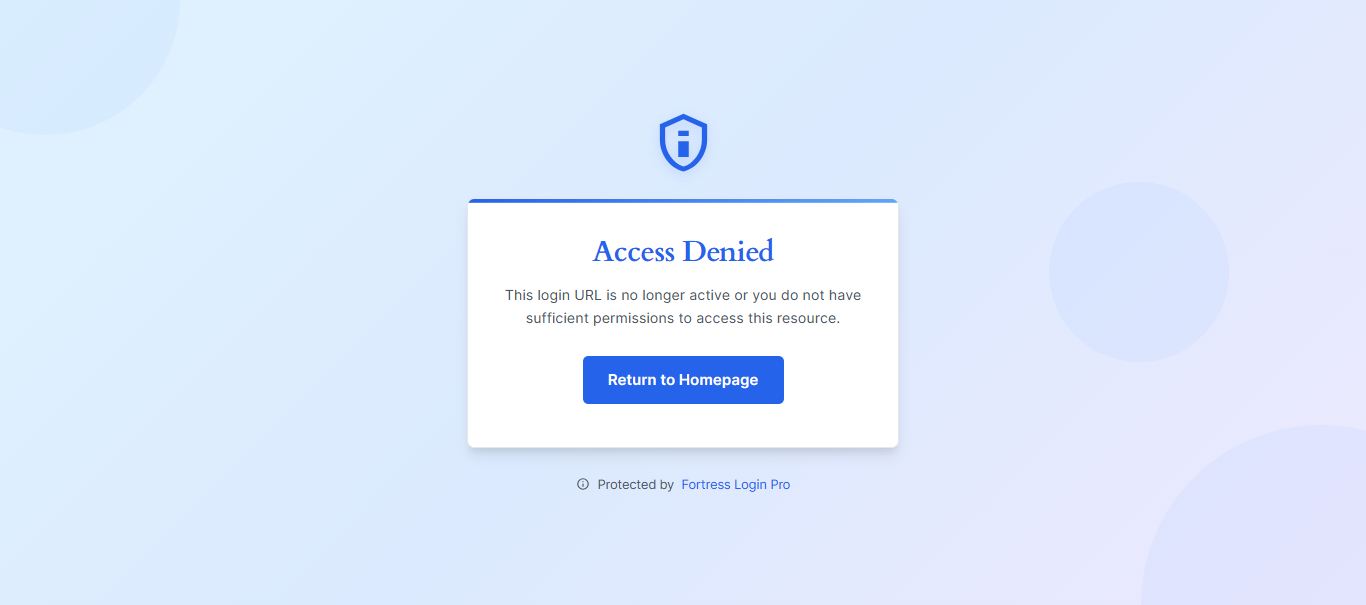
Fortress prevents it by removing the login form from public view.
No login page = no attack surface.
Final Word
Fortress Login Pro doesn’t just hide your login—it makes you smarter about who’s trying to reach it.
Real logs. Real control. No BS.
Ready to lock down WordPress the way it should’ve shipped.
Try our companion plugin: Notification Blocker — hide noisy dashboard alerts with one click.
Ekran Görüntüleri
Yükleme
- Upload the plugin to
/wp-content/plugins/ - Activate via Plugins Installed Plugins
- Go to Fortress Login Pro in your dashboard
- Choose a login slug (manual or generated), then click Save
- Bookmark or email yourself the new URL — your old login path is now hidden
SSS
-
What if I forget my login slug?
-
Check your email (if alerts were enabled), or find it in your database under
wp_options → fortress_active_slug.
As a last resort, disable the plugin via FTP/File Manager. -
Does this break password resets or user login?
-
Nope. All native WP functions stay intact. Your login page is just hidden behind a new URL.
-
Can I customize the slug format?
-
Yes. Choose between human-readable words or random character strings.
Control word count, slug length, and whether numbers are included. -
What happens if the new slug fails to reach my email?
-
The plugin keeps your last active slug live until the new one is used successfully (or a timeout occurs).
You’re never locked out blind. -
Can I view and manage old login slugs?
-
Yes. The Slug History tab shows all past slugs, status, creation date, and usage. Restore or delete with one click.
-
Does Fortress support SMTP?
-
Yes. You can configure SMTP under the Email Settings tab and send a test email before enabling slug rotation.
-
What happens during auto-rotation?
-
Fortress generates a new slug, emails it, and activates it once used.
The old slug stays live until the new one is accessed, then deactivates automatically. -
Is multisite supported?
-
Currently single-site only. Multisite support is in development.
İncelemeler
Bu eklenti için herhangi bir değerlendirme bulunmuyor.
Katkıda Bulunanlar ve Geliştiriciler
“Fortress Login Pro – Secure, Hide & Rename Login URL” açık kaynaklı yazılımdır. Aşağıdaki kişiler bu eklentiye katkıda bulunmuşlardır.
Katkıda bulunanlar
“Fortress Login Pro – Secure, Hide & Rename Login URL” eklentisini dilinize çevirin.
Geliştirmeyle ilgilenir misiniz?
Kodu görüntüleyin, SVN deposuna göz atın ya da RSS ile geliştirme günlüğüne abone olun.
Değişiklik Kaydı
1.1.3
- Added
.htaccesstoggle to block direct access toinstall.phpandsetup-config.php - Created “Settings” tab with toggle UI, status messages, and server detection logic
- Automatically disables
.htaccesstoggle if server is not Apache - Ensures all file operations use
WP_Filesysteminstead of raw PHP functions
1.1.2
- Security Fix: Blocked direct access to wp-login.php when custom slug is active
1.1.1
- Fixed bug where Copy and Generate buttons were incorrectly disabled by SMTP status
- Improved empty-state UI for Analytics Overview chart
1.1.0
- Added dual-slug auto-rotation (fail-safe)
- Added slug generator: readable vs random + number toggle
- Enhanced UI with slug strength meter, rotation timers, and status badges
- Improved SMTP configuration with test email verification
- Added slug history metadata (source, usage, status)
1.0.0
- Initial release