

Açıklama
Flickr Album Gallery helps you showcase your Flickr photo collections directly on your WordPress website. Whether you’re a photographer sharing your portfolio, a blogger documenting your travels, or a business highlighting your work, this plugin provides a straightforward way to embed and display Flickr albums.
Third-Party Service Disclosure
This plugin utilizes the Flickr API to fetch and display images from your Flickr account. By using this plugin, you are interacting with Flickr’s services.
* Service URL: https://www.flickr.com/services/api/
* Terms of Service: https://www.flickr.com/help/terms
* Privacy Policy: https://www.flickr.com/help/privacy
Connect your Flickr account using your API Key and Album ID, then use a shortcode to display your gallery. The plugin fetches your photos and displays them in a responsive grid layout with lightbox functionality for full-size viewing.
Video Tutorial
Watch this tutorial to learn how to set up Flickr Album Gallery:
Key Capabilities
- Embed Flickr albums using shortcode
[FLICGAL id=123] - Multiple responsive gallery layouts (2, 3, 4, 6 columns)
- Masonry and grid display support
- Lightbox preview for enlarged image viewing
- No artificial limits on the number of photos per album
- Includes title tags and alt text for images
- Works with posts, pages, and widget areas
- Compatible with Gutenberg and page builders like Elementor
- Zero third-party framework dependencies (Bootstrap removed)
Who Is This For?
This plugin works well for photographers who already host their images on Flickr and want to display them on WordPress without re-uploading. It’s also useful for bloggers and businesses who maintain Flickr albums and need an easy integration method.
Features
- Gallery title customization
- Multiple column layouts (2, 3, 4, 6 columns)
- Lightbox image preview
- Masonry grid support
- Includes alt text for images
- Shortcode-based embedding
- Widget support
- Lightweight Flexbox-based grid system
Free Version Features
- Gallery title customization
- Multiple column layouts (2, 3, 4, 6 columns)
- Lightbox image preview
- Masonry grid support
- Includes alt text for images
- Shortcode-based embedding
- Widget support
- Lightweight Flexbox-based grid system
Pro Version Features
The Pro version adds advanced customization and layout options:
- Extended Column Layouts (2, 5, 6, 8, 10)
- 8 different lightbox libraries for larger preview of album images
- Multiple hover effects and animations
- Masonry grid layout
- Lazy loading for faster page loads
- Thumbnail and lightbox image size settings
- Custom hover color and opacity
- Thumbnail size, height, spacing and, border styling
- Up to 500 images per album
- Pagination
- Video Support
- Default settings for quick album setup
- All galleries global settings
- In-build Docs
- Custom CSS filed for every album to more beautify the output gallery
Language Contributors
- French Translation by Alexey Gorbenko
- Hindi Translation by Faraz Khan
Want to contribute a translation? Contact us at farazfrank777 (at) gmail (dot) com.
Ekran Görüntüleri

Gallery Display: Responsive layout on your site. 
Column Options: Choose between 2, 3, 4, or 6 columns. 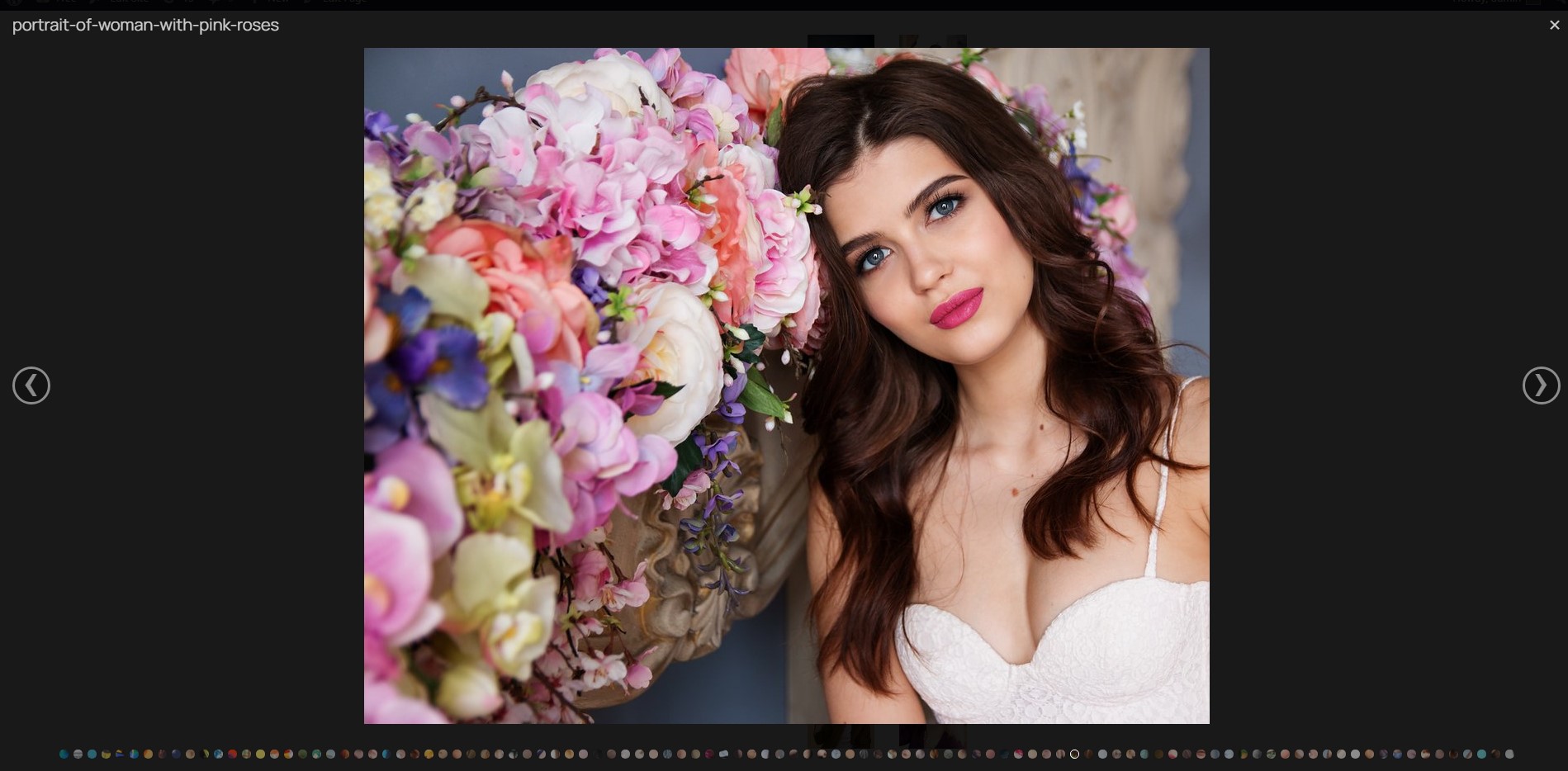
Lightbox Preview: Full-size images. 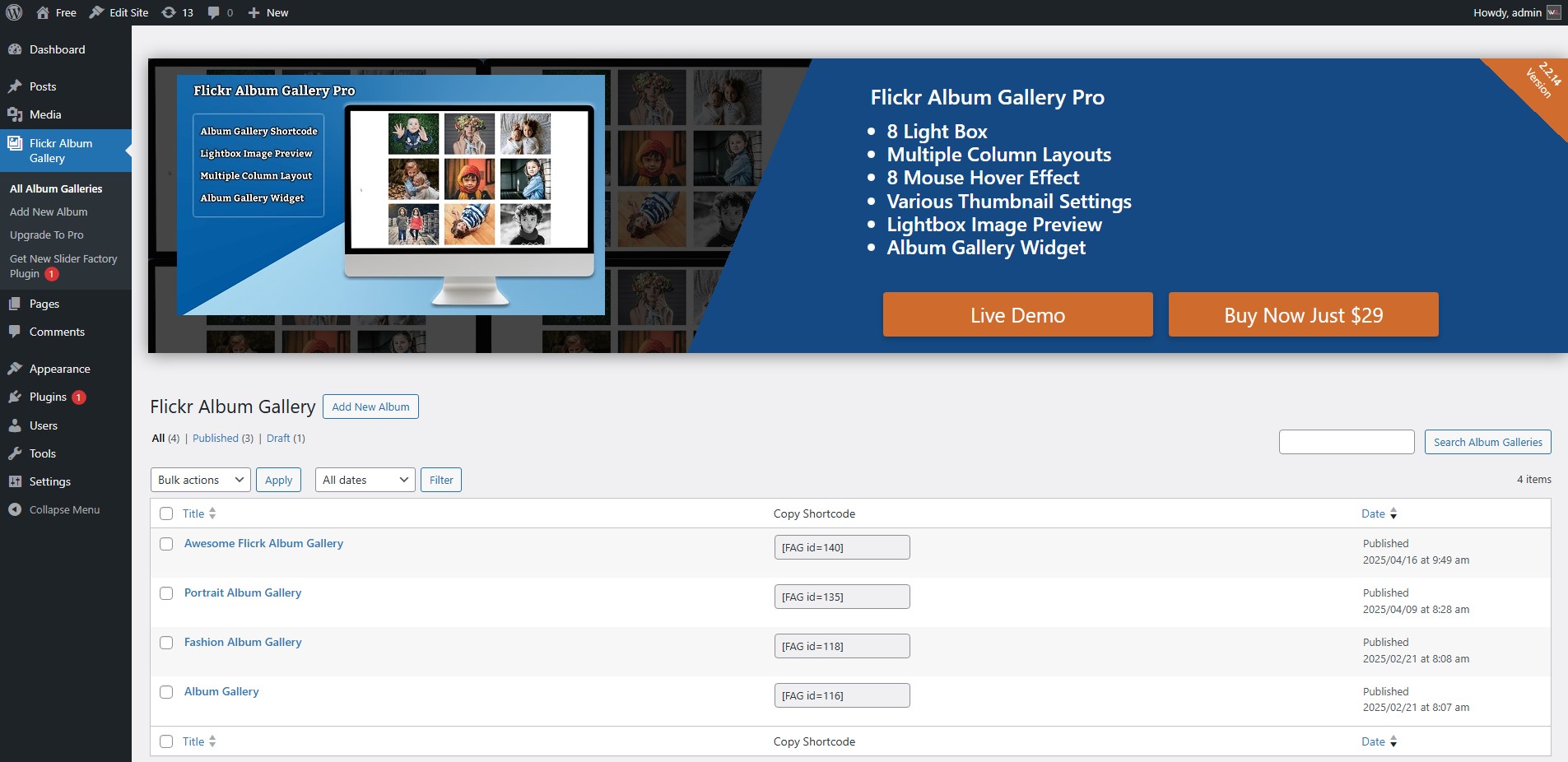
Admin Dashboard: Manage your Flickr galleries easily. 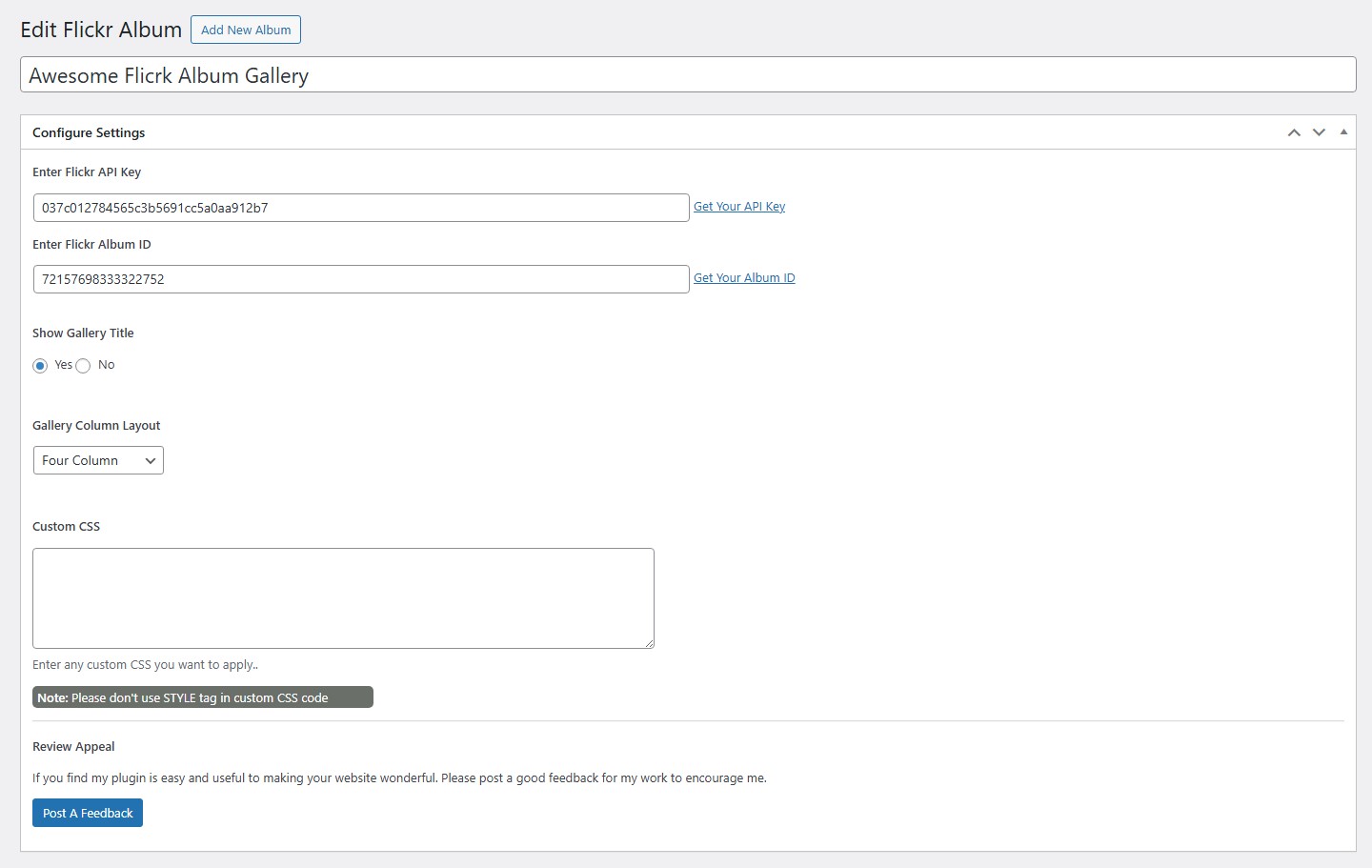
Settings Page: Customize gallery settings. 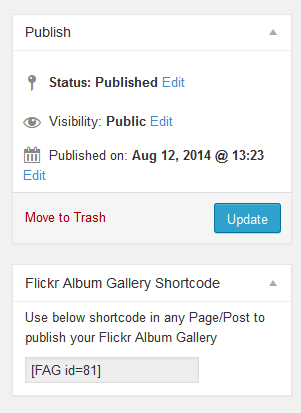
Shortcode Usage: Embed galleries using simple shortcode [FLICGAL].
Yükleme
- Go to your WordPress dashboard and navigate to Plugins > Add New.
- Search for “Flickr Album Gallery” and click Install Now.
- Activate the plugin after installation.
- Navigate to Flickr Album Gallery > Add New Gallery in your dashboard.
- Enter your gallery title, Flickr API Key, and Album ID.
- Publish the gallery and use the shortcode
[FLICGAL id=123]in posts, pages, or widgets.
SSS
-
How do I get my Flickr API Key?
-
Visit Flickr API Guide for step-by-step instructions on obtaining your API key from Flickr.
-
How do I find my Flickr Album ID?
-
Open your Flickr album in a browser. The Album ID is the number in the URL after
/albums/. See our detailed guide for help. -
Is this plugin compatible with the latest WordPress version?
-
Yes, we regularly test and update the plugin for compatibility with new WordPress releases.
-
Can I use this plugin with Elementor, Gutenberg, or other page builders?
-
Yes, the shortcode
[FLICGAL id=123]works with all major page builders including Elementor, Gutenberg, Divi, and others. -
How many photos can I display per album?
-
There are no artificial limits in this version. The plugin will attempt to fetch all available images in the album provided by the Flickr API.
-
Can I display multiple galleries on the same page?
-
Yes, you can add multiple shortcodes with different gallery IDs on the same page or post.
-
How do I update my gallery when I add new photos to Flickr?
-
The plugin fetches photos from Flickr each time the page loads, so new photos appear automatically. If you’re using caching, clear your cache to see updates.
-
Does this plugin work with private Flickr albums?
-
No, only publicly visible Flickr albums can be displayed.
-
Why are my images not loading?
-
Check that your API Key and Album ID are correct. Also verify that the album is set to public on Flickr. If using a caching plugin, try clearing the cache.
-
Can I customize the gallery appearance?
-
Yes, you can choose from multiple column layouts.
-
Does the plugin affect page load speed?
-
The plugin is now lightweight and does not depend on external frameworks like Bootstrap, improving overall performance.
-
How do I get support?
-
Visit the WordPress Support Forum or contact us through our website.
İncelemeler


Katkıda Bulunanlar ve Geliştiriciler
“Album Gallery for Flickr” açık kaynaklı yazılımdır. Aşağıdaki kişiler bu eklentiye katkıda bulunmuşlardır.
Katkıda bulunanlar


“Album Gallery for Flickr” 1 dile çevrildi. Katkıda bulundukları için çevirmenlere teşekkürler.
“Album Gallery for Flickr” eklentisini dilinize çevirin.
Geliştirmeyle ilgilenir misiniz?
Kodu görüntüleyin, SVN deposuna göz atın ya da RSS ile geliştirme günlüğüne abone olun.
Değişiklik Kaydı
2.2.16
- Security: Conducted comprehensive security audit of all inputs and outputs.
- Security: Hardened data saving with strict nonce verification and capability checks.
- Security: Implemented
wp_unslash()for all$_POSTdata to ensure data integrity. - UI: Resolved lightbox control distortions and enforced consistent icon layout across different WordPress themes.
- UI: Added CSS resets and fixed background positioning for Blueimp Gallery navigation arrows and close button.
- Internationalization: Fixed missing text domains and added translator comments for placeholders.
- Code Standards: Replaced discouraged functions
strip_tags()withwp_strip_all_tags()and removed redundantload_plugin_textdomain(). - Assets: Added proper versioning to enqueued CSS and JS files for better cache management.
2.2.15
- Guidelines Compliance: Full refactoring for repository standards.
- Framework Removal: Removed Bootstrap dependency and replaced with a lightweight custom Flexbox grid.
- No Limits: The plugin is now fully functional without artificial restrictions.
- Promotional Cleanup: Removed all “Pro” version upsells, promotional banners, and third-party plugin notices.
- Namespace Migration: Renamed all ‘fag_’ prefixes to ‘flicgal_’ for better isolation and compliance.
- Standardized shortcode to [FLICGAL].
- Improved security with updated nonces and permission checks.
- UI Cleanup: Removed dashicons from buttons and streamlined the admin interface for better compliance.
2.2.14
- Video items will be skipped for now in Flickr Albums.
2.2.13
- Regular update after 4 month
2.2.12
- CSS typos issue fixed reported by @jfriedley
2.2.11
- Donate link removed
2.2.10
- Changes in plugin details
- WordPress Compatibility Test to 6.0.2