

Açıklama
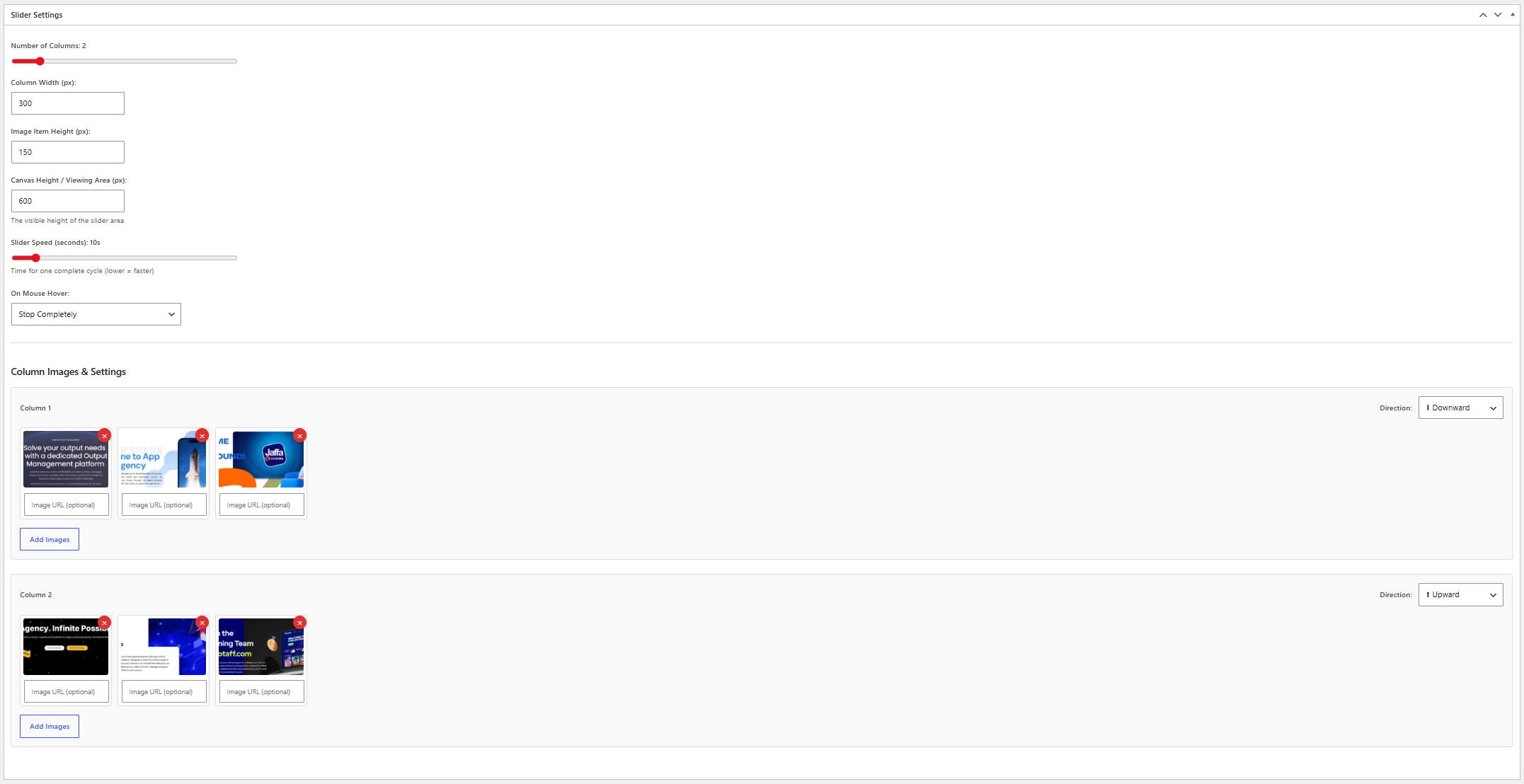
Vertical Card Slider allows you to create smooth vertical scrolling image sliders with multiple columns and customizable settings.
Features:
- Create unlimited sliders
- Multiple scrolling columns
- Upward and downward scrolling directions
- Adjustable scrolling speed
- Pause or slow down on hover
- Custom link URL for each image
- Responsive design
- Simple shortcode integration
- Lightweight and easy to use
Ekran Görüntüleri

Yükleme
- Upload the plugin files to the
/wp-content/plugins/stackfounder-vertical-card-sliderdirectory, or install the plugin through the WordPress plugins screen. - Activate the plugin through the ‘Plugins’ screen in WordPress.
- Navigate to Vertical Card Slider in the WordPress admin menu.
- Create a new slider and add your images.
- Copy the generated shortcode and place it in any page, post, or widget.
SSS
-
How do I display a slider?
-
Use the shortcode:
[sfvcs_vertical_card_slider id="123"]Replace
123with the slider ID shown in the admin area. -
Can I add links to images?
-
Yes. Each image can have its own custom destination URL.
-
Is the plugin responsive?
-
Yes. The slider adapts to different screen sizes.
-
Can I control the scrolling speed?
-
Yes. You can adjust the speed and hover behavior from the slider settings.
İncelemeler
Bu eklenti için herhangi bir değerlendirme bulunmuyor.
Katkıda Bulunanlar ve Geliştiriciler
“Stackfounder Vertical Card Slider” açık kaynaklı yazılımdır. Aşağıdaki kişiler bu eklentiye katkıda bulunmuşlardır.
Katkıda bulunanlar
“Stackfounder Vertical Card Slider” eklentisini dilinize çevirin.
Geliştirmeyle ilgilenir misiniz?
Kodu görüntüleyin, SVN deposuna göz atın ya da RSS ile geliştirme günlüğüne abone olun.
Değişiklik Kaydı
1.0.1
- Initial public release.
- Improved plugin metadata and documentation.
- Added uninstall support.
- Added translation-ready structure.