

Açıklama
📢 Note from the Developer
To our amazing iPanorama 360 community! We are proud to introduce HappyVR – our next-generation virtual tour builder.
Built from the ground up on modern web standards, HappyVR solves layout and theme conflicts once and for all. It features complete CSS/JS isolation (Shadow DOM) to protect your site’s layout, a lightning-fast React-based live editor, and advanced Tile Generation so that massive gigapixel panoramas load instantly on mobile devices.
🎁 Check out HappyVR and download it for FREE!
iPanorama 360, saniyeler içinde doğrudan WordPress yönetim panelinden müşterileriniz için harika sanal turlar oluşturmanızı sağlayan bir WordPress eklentisidir. Eklenti, sahnenin herhangi bir bölümü hakkında bilgi vermek veya diğer odalara/alanlara geçiş yapmak için işaretçileri destekler. İyi yapılandırılmış bir ipucu sistemiyle bir sahneyi metin, görsel, video ve diğer çevrim içi medya kaynaklarıyla zenginleştirebilirsiniz. Etkileşimli ve sanal turlar, haritalar, sunumlar oluşturmak için bu eklentiyi kullanın.
Just upload 360 panoramic images, and this plugin will help you to transform them into a good realistic virtual tour.
iPanorama 360 supports the classic shortcode, plus it’s fully compatible with Gutenberg Block Editor and has iFrame embed feature that help to share your tour on a third-party web resources.
Why use iPanorama 360?
This plugin has all features that are needed for your deployed a good virtual tour without any problem.
Powerful Builder Interface To Create Virtual Tours Easily
iPanorama 360 has a modern web interface, created to help you build an interactive virtual tour quick and easy.
Just imagine, you can create your first virtual tour in seconds!!!
The plugin supports the preview mode, it will help you to see all your changes before the publish. Isn’t that a good feature?)
Create A Realistic Tour From Scene to Another
You can create several scenes from 360 degree images and connect them using markers. The user can click on a marker to go previous or next scene. The walking to another scene can be styled by using a special transition effects (fade, zoom, twist and etc). Plus you can set tooltips & popovers for markers on each scene to show additional information to a viewer.
Shortcode Support
Inside the classic editor you can simply embed a virtual tour using this [ipano id=”123″] shortcode. Just set your virtual tour ID and your tour is ready to publish.
Gutenberg Block Support
Inside the Gutenberg block editor you can find the iPanorama 360 block, see the common section. This block is used to embed your virtual tour quckly on a page or post. Select a virtual tour ID from the list, set width & height if it’s needed and the tour is ready to go.
IFrame Embed Feature Support
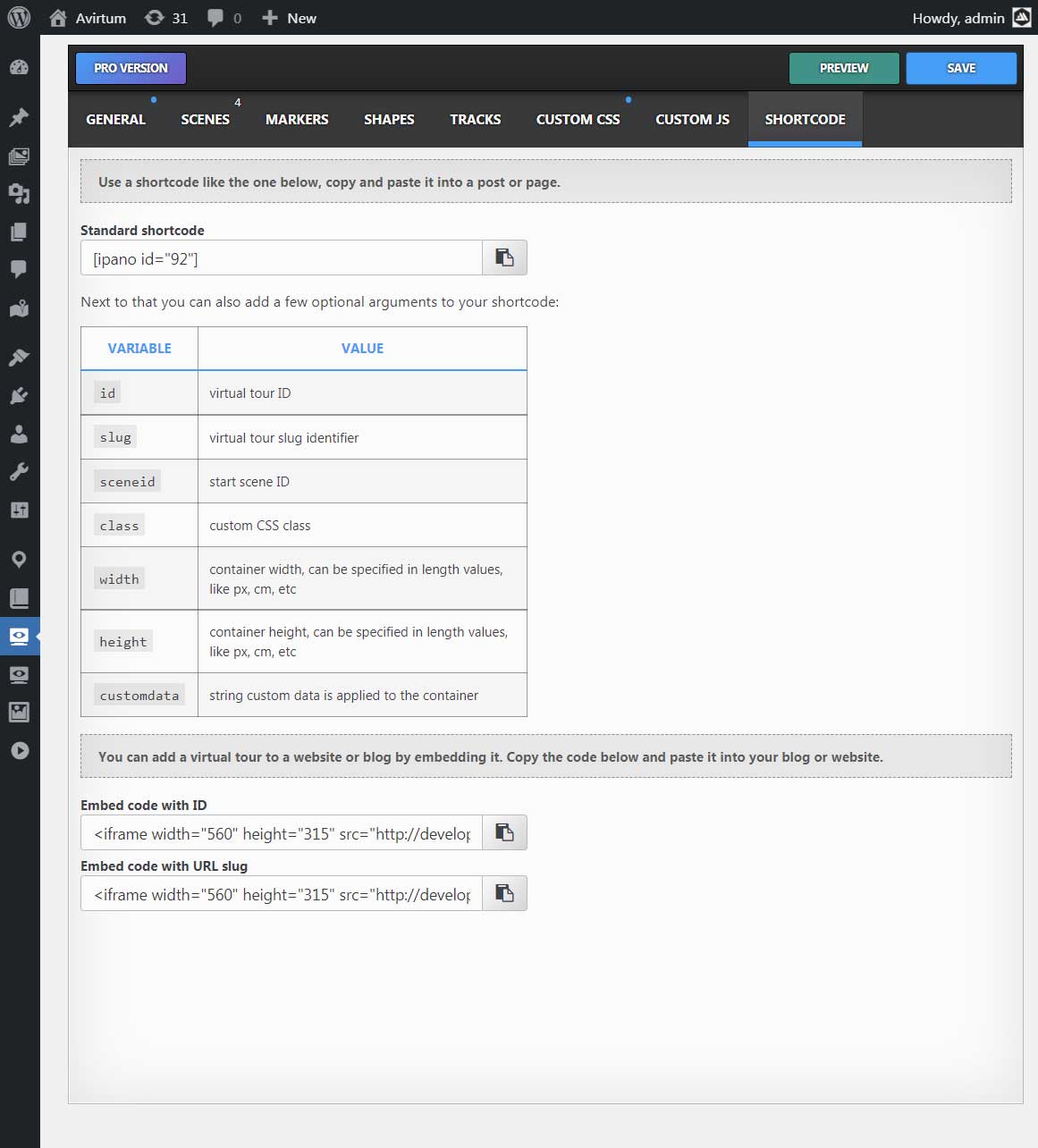
You can share your tour on other web sites using the html iframe. To do this you should go to the tour builder, select the “shortcode” section and copy/paste the embed iframe code.
Control Permissions for Authors and Editors
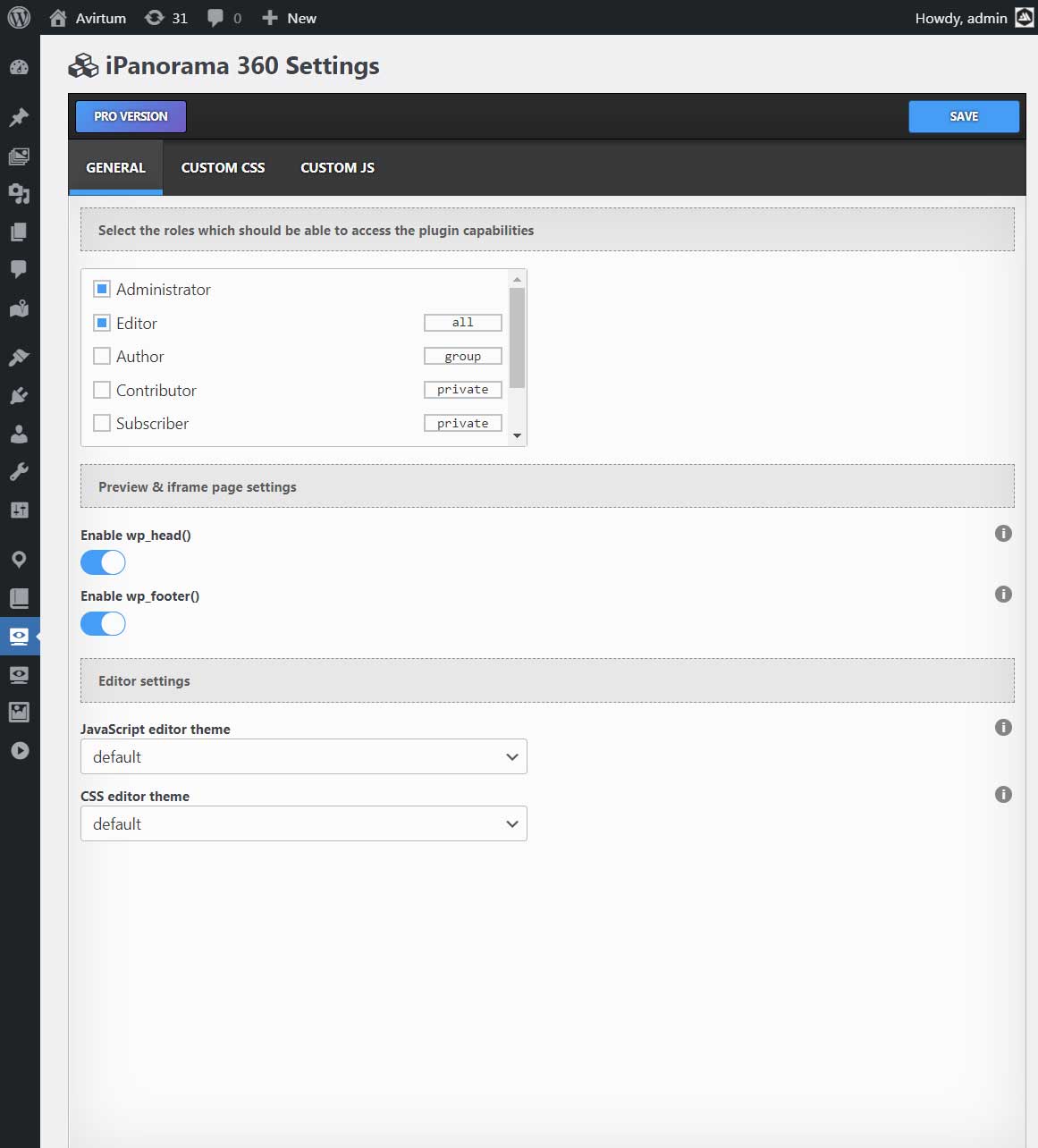
The plugin gives you a way to edit the access for wp roles to create virtual tours. Only selected roles can modify virtual tours. Each selected role can have one state from this list: ‘private’, ‘group’, ‘all’.
- private – you can create & edit only your items
- group – you can create & edit the group items
- all – you can create & edit all items (from any group, including admin items)
Who Should Use iPanorama 360?
- Stores
- Schools
- Museums
- Showrooms
- Travel Agency
- Art Galleries
- Real Estate Agency
and much more…
Özelliklerin listesi
- Kullanımı kolay oluşturucu
- Gutenberg block support
- Birden çok sahne oluşturun (5 tür)
- Düz sahne
- Küre ve küp sahne
- Küçük gezegen sahnesi
- Google Street View sahnesi
- İşaretçiler, araç ipuçları ve açılır pencereler oluşturun
- İki açılır pencere stili (gelen kutusu, ışık kutusu)
- İşaretçi stili oluşturucu
- Customization with Custom CSS
- Araç ipucu gösterme ve gizleme animasyonları (50+)
- Açılır pencere gösterme ve gizleme animasyonları (50+)
- Sahneleri özel işaretleyicilerle bağlayın
- Tek tıklamayla turu çoğaltın
- Sahne geçiş animasyonu
- Yayımlamadan önce sanal turu canlı önizleyin
- Jiroskop & klavye gezintisi
- Otomatik döndürme (oynatma, durdurma, hız)
- Ses arka planı (oynatma, durdurma, ses seviyesi)
- Normal ve stereo görünüm
- Küçük görsel önizlemesi
- iframe yerleştirme özelliği
- Duyarlı varsayılan tasarım
- Yapılandırmayı dışa ve içe aktar
- İki tema (açık & koyu)
- Permission System For WP User Roles
- Harika özelleştirme
- Güçlü API
Ekran Görüntüleri
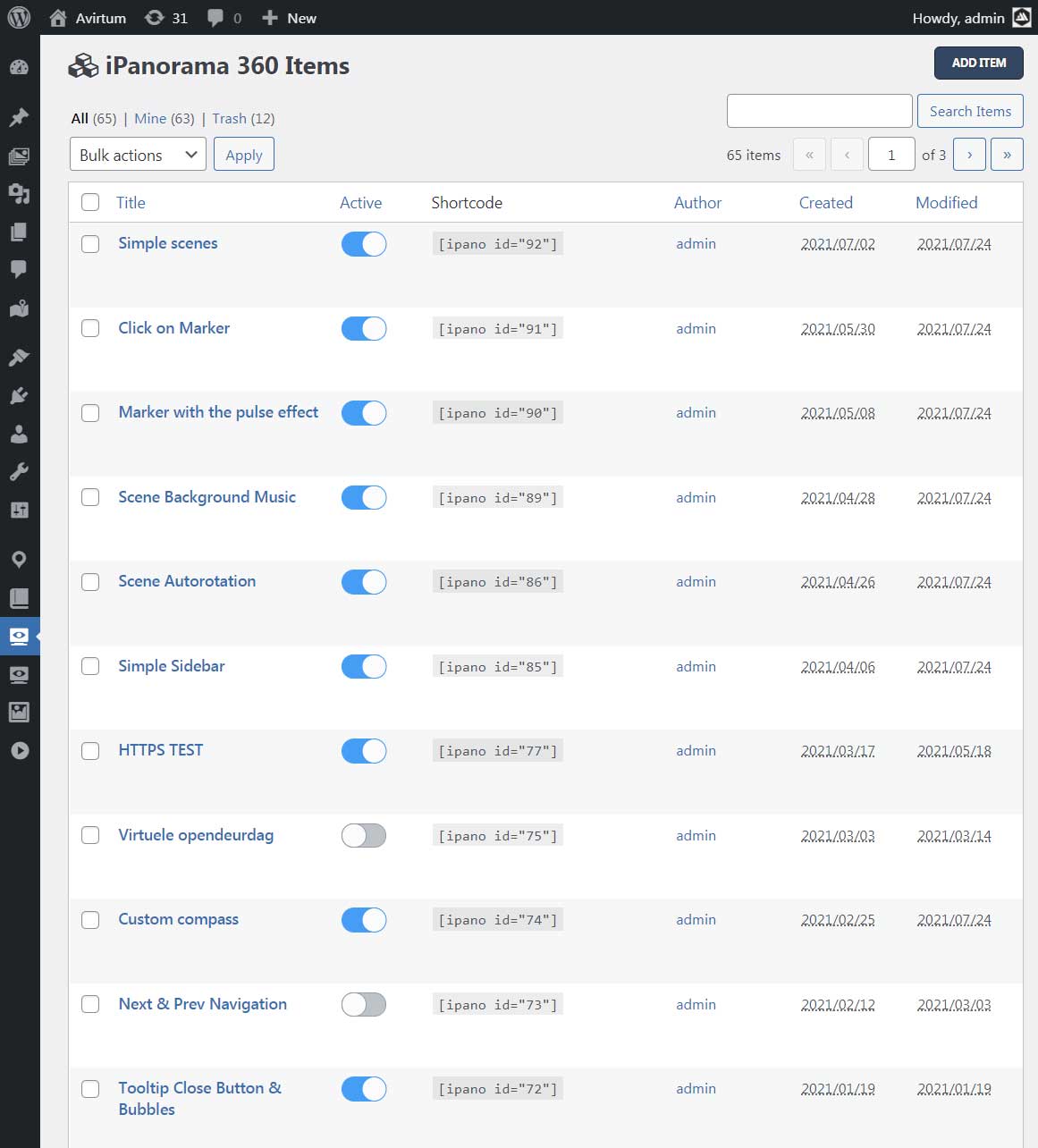
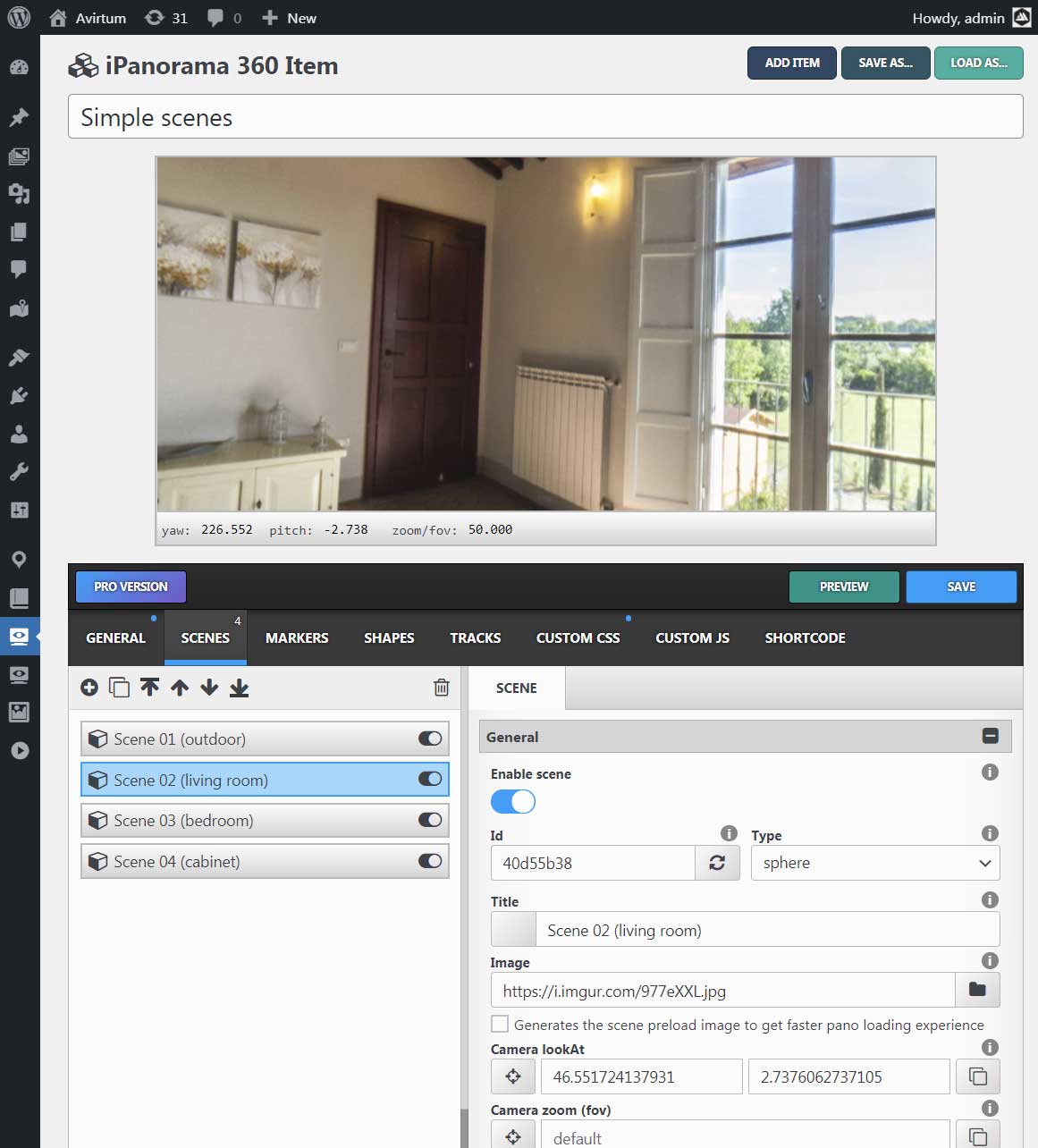
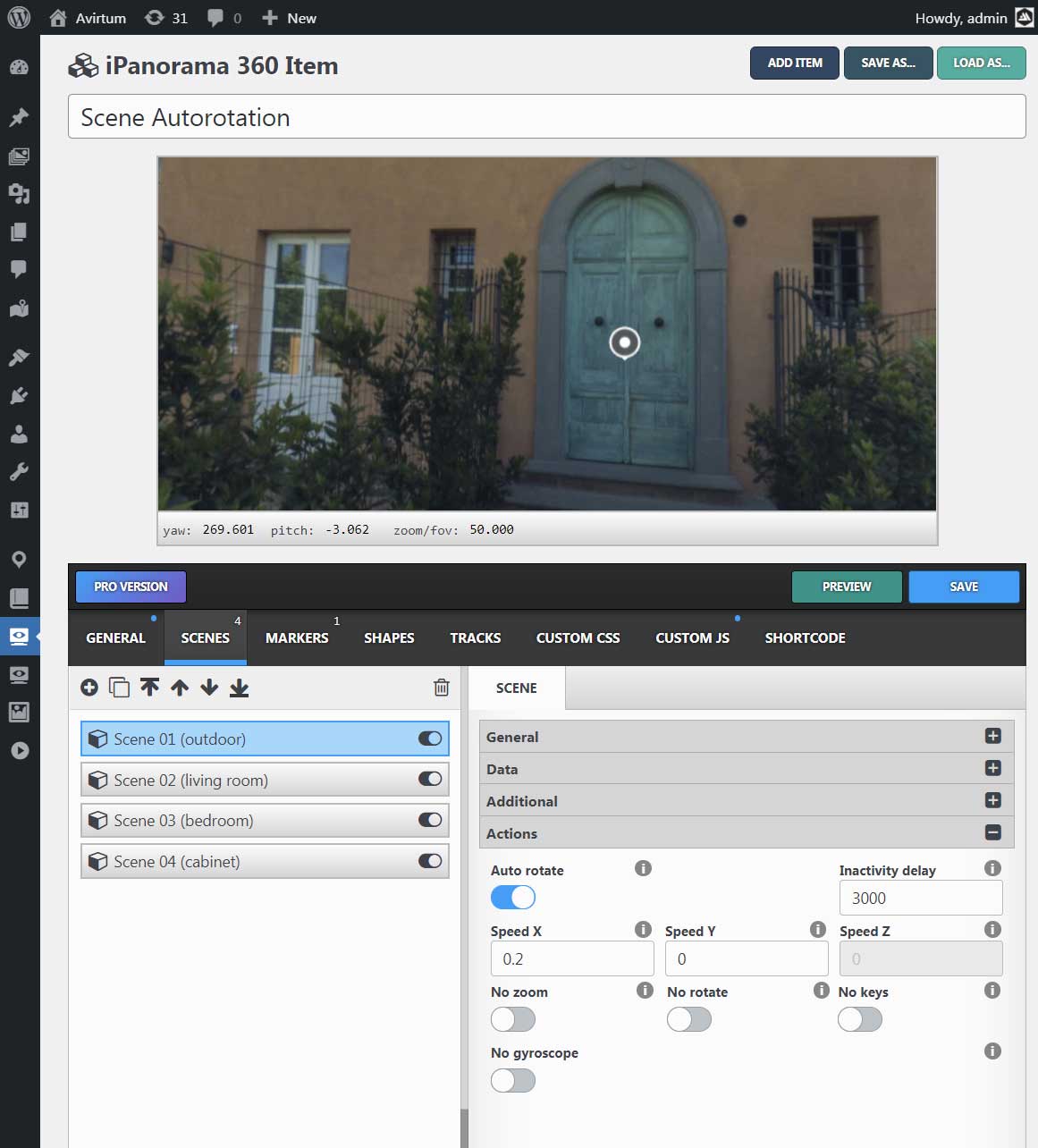
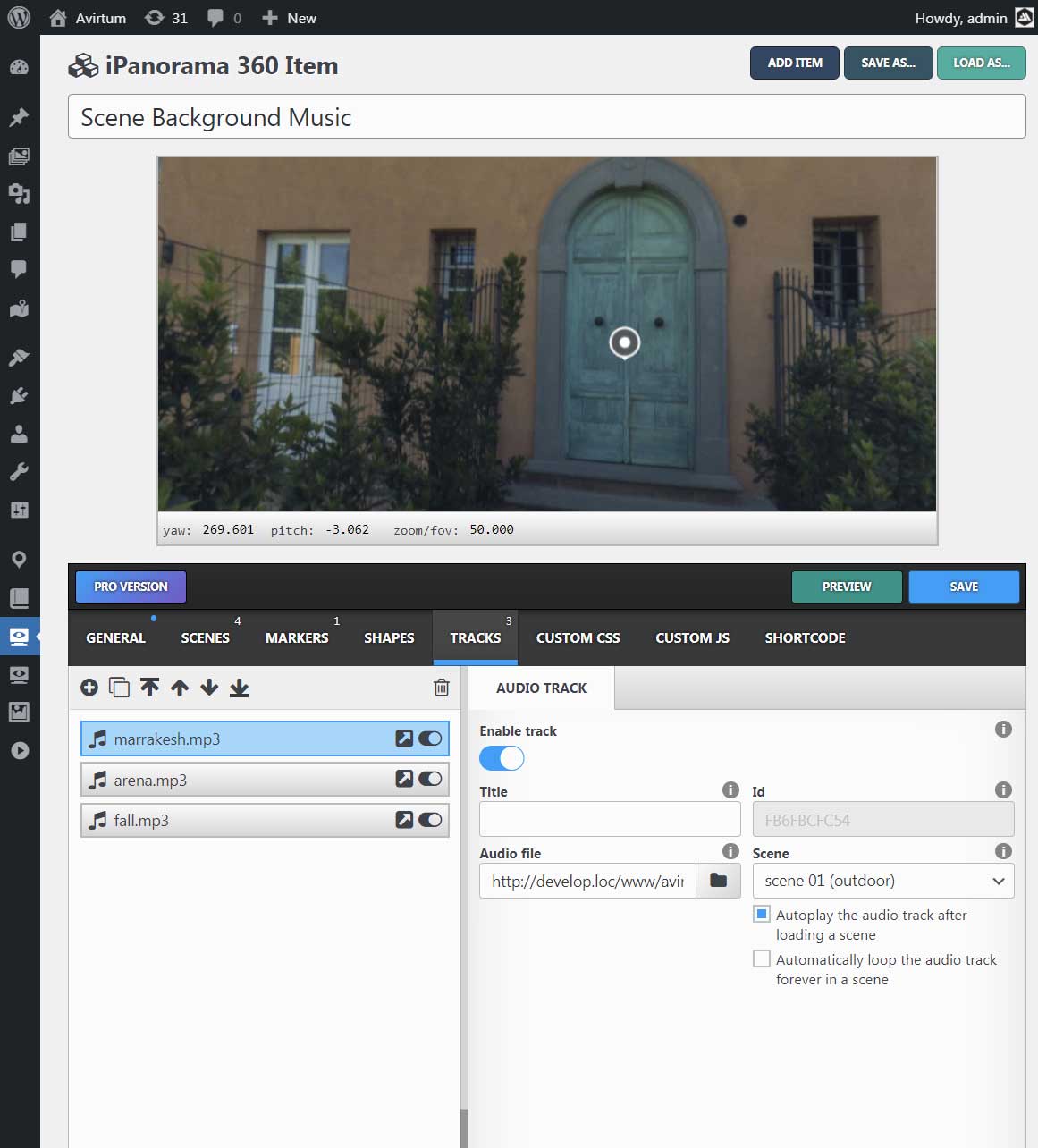
Bloklar
Bu eklenti 1 blok sağlar.
- Ipanorama Shortcode Block
Yükleme
- ipanorama klasörünün tamamını /wp-content/plugins/ dizinine yükleyin.
- Eklentiyi WordPress yöneticisindeki Eklentiler menüsünden etkinleştirin.
- Create a new virtual tour, Use [ipano id=”123″] shortcode to publish your virtual tour into any page or post.
SSS
-
Neden iPanorama 360 kullanmalıyım?
-
Bu eklentiyi kullanarak web siteniz için kolayca sanal bir tur oluşturabilirsiniz. Sadece 360 derecelik panoramik bir fotoğraf sağlayın ve eklenti sizin için her şeyi yapacaktır. Kullanıcıları daha fazla çekmek için ek bilgiler içeren araç ipuçları içeren işaretçiler ekleyebilirsiniz, gezinmek için daha fazla sahne de ekleyebilirsiniz.
-
Kurulum
-
Eklentiyi wordpress.org adresinden indirebilirsiniz. İndirdikten sonra başlangıç ekranınıza gidip eklentiler ögesini seçebilir ve dosyayı yükleyebilirsiniz. Ardından eklentiyi etkinleştirin. Etkinleştirildikten sonra sol tarafta başlangıç menünüzün en altında iPanorama 360 seçeneğini göreceksiniz.
-
Daha fazla özelliğe ve desteğe erişmek istiyorum. Onları nasıl edinebilirim?
-
You can get access to more features and support by visiting the CodeCanyon website and purchasing the pro version. Purchasing the plugin gets you to access to the full version of the iPanorama 360 Virtual Tour Builder WordPress plugin, automatic updates and support.
-
Lite ve PRO arasındaki fark nedir
-
Lite sürümünün yalnızca bir sınırlaması vardır. Yalnızca bir öğe oluşturabilir ve kullanabilirsiniz. Diğer tüm özellikler PRO’nun sahip olduğu ile aynıdır.
İncelemeler


Katkıda Bulunanlar ve Geliştiriciler
“iPanorama 360 – gelişmiş sanal tur oluşturucu” açık kaynaklı yazılımdır. Aşağıdaki kişiler bu eklentiye katkıda bulunmuşlardır.
Katkıda bulunanlar
“iPanorama 360 – gelişmiş sanal tur oluşturucu” 1 dile çevrildi. Katkıda bulundukları için çevirmenlere teşekkürler.
“iPanorama 360 – gelişmiş sanal tur oluşturucu” eklentisini dilinize çevirin.
Geliştirmeyle ilgilenir misiniz?
Kodu görüntüleyin, SVN deposuna göz atın ya da RSS ile geliştirme günlüğüne abone olun.
Değişiklik Kaydı
1.9.2
- Mod: tested up to WordPress 7.1
1.9.1
- Fix: resolved 403 errors occurring when strict HTTP standards enforcement is enabled
1.9.0
- Mod: lazy load mode – panorama is loaded only when visible in the web view screen
- New: toggle the white logo
1.8.8
- Fix: issue with marker position depending on device pixel ratio (devicePixelRatio)
1.8.7
- Fix: support iframe for popup and tooltip data
1.8.6
- Fix: scene transition effects, black screen
- Fix: tooltip & popover data sanitization
1.8.5
- Mod: upgraded the threejs lib to r127
- Mod: redesigned the UI
1.8.4
- Fix: unauthorized access to preview of deactivated panoramas for sub+ users
1.8.3
- Fix: constant FILTER_SANITIZE_STRIPPED is deprecated
- Fix: unauthorized access to config.json of deactivated panoramas
1.8.2
- Fix: unauthorized access to view deactivated panoramas
1.8.1
- Fix: feedback form
- Fix: SQL injection via shortcode
1.8.0
- Fix: SQL injection vulnerability (list-table-items.php)
1.7.3
- Fix: constant FILTER_SANITIZE_STRING is deprecated
1.7.2
- Fix: incorrect rest_rout url for the plain permalink type
1.7.1
- Fix: MySQL current_timestamp update
1.7.0
- Mod: cancel the use of json files to store the item config
1.6.32
- Fix: $wpdb->prepare calls
1.6.31
- Fix: incorrect render order
1.6.30
- Fix: prevent cross-site scripting (XSS) from shortcode
- Mod: polish the code
1.6.29
- Fix: empty list in wp 6.1
- New: feedback form
1.6.28
- Fix: scene preload images
1.6.27
- Fix: warped images
1.6.26
- Fix: unexpected output during activation
1.6.25
- Mod: texture loading improvements
1.6.24
- Fix: hidden markers in RTL mode
1.6.23
- Fix: pinch zoom for the flat scene type
1.6.22
- Fix: prevent XSS attacks
1.6.21
- New: set the compass North from the preview window
1.6.20
- New: set the start point coord from the preview window
- Fix: popover close on click outside
- Fix: audio & video continues play after a popover close
1.6.19
- New: Gutenberg block support
1.6.18
- Fix: permissions list
1.6.17
- Fix: permissions for the role can be: ‘private’, ‘group’, ‘all’
1.6.16
- New: show the current scene pos & zoom
- New: permissions for the role can be private or general
1.6.15
- New: shortcode attribute “customdata”
- Fix: zoom for the flat type scene
1.6.14
- Fix: marker autofocus
1.6.13
- Fix: can’t change the markers position
- Fix: can’t open an item, the infinity loading
1.6.12
- Fix: item date
- Mod: audio player with a new interface
- New: global styles & the ‘onLoad’ callback
1.6.11
- Fix: removing disabled elements from the output
- Fix: converting the url protocol from HTTP to HTTPS if needed
- New: search item box, trash support
- New: shortcode attribute ‘slug’
1.6.10
- Fix: widgets thumbnail images lazyload
1.6.9
- Fix: website under HTTPS (secured with SSL certificate), but scene images are under HTTP (unsecured)
- Mod: preload image generation
1.6.8
- New: compass support
- New: tooltip show trigger “enter”
1.6.7
- Fix: ‘civic’ widget home button
- Mod: tooltip show/hide actions after the hover event
- New: load a scene from the URL param ‘sceneid’
- New: support Emoji
1.6.6
- Fix: markers from the previous scenes are accessible even though they are invisible
- Fix: can’t navigate to a google street scene type
- Fix: the builder improperly adds a marker to the center of the scene
1.6.5
- Düzeltme: işaretçi “bir sahneye git” seçeneği gösterilmiyor
- Düzeltme: sanal tur bazı Mac’lerde çalışmıyor, boş sahne
1.6.4
- Düzeltme: Yapılandırma dosyasından bir ögeyi kaydetme ve yükleme
1.6.3
- Yeni: daha hızlı pano yükleme deneyimi elde etmek için resimleri önceden yükleyin
- Yeni: ‘width’, ‘height’ kısa kod öznitelikleri
1.6.2
- Düzeltme: kamera kaydetme seçeneği çalışmıyor (siyah ekrana neden oluyor)
- Düzeltme: bir şekle bak
- Mod: temel eklenti sürümlemesini yükleyiciye ekleyin
1.6.1
- Düzeltme: yükleyici eski öğeleri yükleyemiyor
1.6.0
- Yeni: sahne geçiş efektleri (solma, yakınlaştırma, girdap vb.)
1.5.25
- Düzeltme: eski öğelerle uyumlu (öğeyi yeniden kaydet)
1.5.24
- Düzeltme: düz sahne türü için işaretçi konumları
- Düzeltme: widget stilleri
1.5.23
- Düzeltme: İşaretçi otomatik odaklaması devre dışı bırakıldı & yeni sahneye geçiş
- Mod: sapma ve eğim değerleri üzerinden kamera bakış konumunu ayarlar
- Yeni: İşaretçi konumunu sapma ve eğim (yaw & pitch) değerleriyle ayarlar
- Yeni: VT alanı ‘editor’
1.5.22
- Düzeltme: süper yönetici menü öğelerini göremiyor
- Düzeltme: IE üzerinde dikey kaydırma çubuğu yok (lightbox & inbox)
1.5.21
- Yeni: öge kısa adı (geçerli URL adı)
- Mod: dosya sistemi işlemleri
1.5.20
- Yeni: önizleme & iframe yerleştirme sayfası seçenekleri
- Yeni: işaretçi için resim
- Yeni: tıklama etkinliğinden sonra bir işaretçiye otomatik odaklanma
- Mod: açık ve koyu temalar, ‘civic’ bileşeni
- Düzeltme: FontAwesome i2svg, yönetici ön ucunu bozuyor
1.5.19
- Yeni: eklentiye erişimi olan rolleri düzenleyin
1.5.18
- Düzeltme: yükleyici bir sayfada yalnızca bir kez çağrılıyor
1.5.17
- Mod: kullanıcılar yalnızca kendi ögelerini görüntüleyebilir ve düzenleyebilir
1.5.16
- Düzeltme: ses seçenekleri (öncekini durdur)
- Düzeltme: tam ekran modunda açılır pencereler
- Mod: öğe sayfalandırma görünümü
1.5.15
- Düzeltme: Sahne türleri için parmakla yakınlaştırma: ‘sphere’, ‘cube’, ‘flat’, ‘gsv’
1.5.14
- Düzeltme: tanımsız değişken zaman damgası
1.5.13
- Düzeltme: temel css stilleri
- Yeni: bileşen – ‘Liste’
1.5.12
- Düzeltme: düz sahne türü için işaretçi oluşturma
- Mod: bileşenler için tam ekran modu: ‘Civic’, ‘Modern’
- Mod: kullanıma hazır önizleme ve iframe gömme özelliği
1.5.11
- Düzeltme: sahne değiştirildikten sonra fare işaretçisi hâlâ görünüyor
- Düzeltme: düz sahne türü için kayan işaretçiler
- Düzeltme: civic widget için sahnelerde gezinme
1.5.10
- Yeni: roller için izinleri düzenleme: yönetici, düzenleyici, yazar, katkıda bulunan
- Düzeltme: “framebuffer is incomplete” uyarıları
1.5.9
- Yeni: şekiller (dokulu düzlemler)
- Yeni: kapsayıcı arka plan stilleri satır içi olabilir veya olmayabilir
- Yeni: ‘sceneid’ kısa kod özniteliği
1.5.8
- Yeni: popover özelliği (gelen kutusu veya ışık kutusu)
1.5.7
- Yeni: tema – ‘baloncuklar’
- Düzeltme: Bileşenleri güncelleme
1.5.6
- Düzeltme: Tarayıcı önbelleği hatası, değişikliklerden sonra güncellemeler görünmüyor
1.5.5
- Yeni: bileşen – ‘Civic’
- Yeni: yerleştir & önizleme, WordPress temalarından ve üçüncü taraf eklentilerden bağımsızdır
1.5.4
- Düzeltme: tam ekran modunda kayıp ayrıntılar
1.5.3
- Düzeltme: cubemap sahnesi, ön & alt görüntü sorunu
1.5.2
- Düzeltme: Önizleme ve gömme bağlantısı oluşturma
1.5.1
- Düzeltme: Yapılandırmayı bir dosyaya kaydetme ve dosyadan yükleme
- Yeni: etkileşimli önizleme resim oluşturucu
1.5.0
- Yeni: tamamen yeni sürüm, eskisiyle uyumsuz
1.4.0
- Düzeltme: userData ve title parametrelerinin ön uca aktarılması
1.3.9
- Düzeltme: Chrome’da yakınlaştırma ile siyah ekran sorunu
- Düzeltme: tam ekran geçişi
1.3.8
- Düzeltme: Smart Product Viewer ile uyumlu
- Düzeltme: IE’de tam ekran modundan çık
1.3.7
- Yeni: Sahneler arasında geçiş yapıldığında kameranın bakış vektörünü kaydet veya kaydetme
- Yeni: her sahne için üst ve alt eğim sınırları
- Yeni: her sahne için sol ve sağ sapma sınırları
- Düzeltme: Sahne görsellerinin arka planda yüklenmesi
- Düzeltme: iOS’ta tam ekran
1.3.6
- Düzeltme: bir bağlantı etkin noktasına kısa bir dokunuşla ilgili hata
- Düzeltme: ön uçta bir sceneId parametresiyle ilgili hata
1.3.5
- Düzeltme: Tek sayfada birden çok örnekle ilgili hata
1.3.4
- Düzeltme: dokunma olaylarıyla daha iyi çalışıyor
- Düzeltme: bazen FF’de webgl bağlamı kayboldu
- Düzeltme: IE11’de tam ekran hatası
1.3.3
- Yeni: genel ayarlar
- Yeni: kıstırma hareketleriyle yakınlaştırma
- Yeni: küp sahne türünün tek bir dokusu veya altı ayrı dokusu olabilir
- Düzeltme: iOS’ta tam ekran hatası (yalnızca standart tam ekran API’sini bırak)
1.3.2
- Yeni: üst ve alt eğim sınırları
- Yeni: Özel bir onload geri çağırma JavaScript kodu belirleme
- Yeni: mouseWheel olayında varsayılan davranış için engellemeyi etkinleştirin / devre dışı bırakın
- Düzeltme: kaydedilmiş bir yapılandırma yüklerken hata
- Düzeltme: sol üst köşede görünen etkin nokta görüntüleriyle ilgili hata
1.3.1
- Düzeltme: bozulma ile ilgili hata
1.3.0
- Düzeltme: karakter kodlamayla ilgili hata, öğe güncellemesiyle ilgili sorunlar
- Yeni: görsel URL’si yükleme klasörüne göre göreli veya tam olabilir
- Yeni: kolay erişim noktası özelleştirme
1.2.1
- Yeni: oluşturucu için yükleme ilerleme çubuğu ekleyin
- Düzeltme: Aynı sayfada birden çok angular.js sürümü desteği
- Düzeltme: öğe güncellendikten sonra array_map() hakkında uyarı
1.2.0
- Yeni: yeni karanlık tema
- Yeni: küçük resimler (dikey, yatay)
- Yeni: küçük resimler geçiş kontrolü
- Yeni: sonraki & önceki sahne kontrolleri
- Yeni: sahne yüklendiğinde bir açılır pencere göster
- Yeni: kaydet & dosyadan bir yapılandırma yükle
- Yeni: varsayılan genişlik ve yükseklik ayarları
1.1.0
- Yeni: jQuery eklentisi güncellendi
1.0.0
- İlk sürüm