
Açıklama
4Linking automates internal linking in WordPress. You define the rules once — which keywords link to which pages — and the plugin keeps your internal link structure clean and consistent across the whole site, from a small blog to an editorial site with thousands of posts, without the manual work internal linking usually requires.
4Linking is built around a simple, controllable idea: rules. Instead of guessing or linking by hand, you tell the plugin how your content should connect — and it applies those relationships automatically as you publish.
Key features
- Rule-based internal linking — decide which keywords link to which URLs, with custom anchor text, frequency caps and priority. You stay in full control of every link the plugin creates.
- Pillar pages — mark your strategic pages so related content sends them preferential internal links, reinforcing your most important URLs.
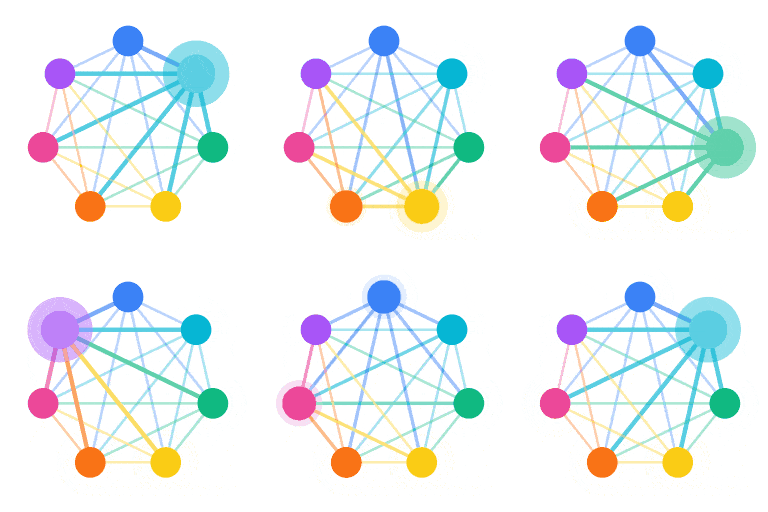
- Visual link map — see how internal links are distributed across your site at a glance, with totals per rule and per page.
- URL exclusions — keep specific URLs (legal pages, login, checkout…) out of internal linking entirely, so links only land where you want them.
- Synonyms and variations — a rule can match a keyword and its variations, so natural writing still triggers the right links.
- Bulk processing — apply your rules across existing posts in one pass, not just on new content.
- Block editor and Classic editor — works with both, no setup friction.
- Runs entirely on your server — no external services, no account, no signup. Your content never leaves your site.
Who it’s for
- Bloggers and site owners who want a tidy internal link structure without editing every post by hand.
- Online editors and media sites publishing daily, who need internal architecture to scale without becoming a full-time job.
- SEO agencies and content teams that need to apply consistent linking rules reliably across one site or many.
Why 4Linking
There are many SEO plugins, and they all have their place. 4Linking does one job well: serious internal linking, with full control.
- Alongside your SEO plugin (Yoast, Rank Math) — those handle analysis and on-page SEO; 4Linking handles the actual mechanics of internal linking. They complement each other.
- Versus manual linking — no more opening old posts to add links by hand. Define a rule once and it applies everywhere, including posts you publish later.
- Versus guesswork — every link follows an explicit rule you wrote, so you always know why a link exists and where it points.
Privacy and data
4Linking runs entirely on your own server, using WordPress’s standard database and APIs. It makes no calls to any external service, requires no account and collects no data. Your content stays on your site.
Looking for AI content and semantic linking?
4Linking has a separate commercial version, 4Linking PRO, available at 4linking.com. It adds AI article generation, semantic internal linking, knowledge bases, AI image generation, translation and automation pipelines. PRO is a separate product — this free plugin is fully functional on its own and is not time-limited or feature-gated in any way.
Requirements
- WordPress 6.0 or higher
- PHP 7.4 or higher
Ekran Görüntüleri

Visual link map showing how internal links are distributed across the site. 
Creating an internal linking rule with anchor text, frequency cap and priority. 
Pillar pages configuration: strategic content that receives preferential internal links. 
URL exclusions: pages that should never receive or emit internal links. 
The welcome screen, with a short video and the three steps to get started.
Yükleme
- In your WordPress admin, go to Plugins Add New and search for 4Linking, or upload the plugin ZIP under Plugins Add New Upload Plugin.
- Activate the plugin through the Plugins menu.
- A 4Linking entry appears in your admin menu. The welcome screen walks you through the basics.
- Go to 4Linking Linking to create your first pillar pages and linking rules, then run a bulk pass over your existing posts.
SSS
-
Is 4Linking really free?
-
Yes. This version is completely free, fully functional and runs entirely on your server. There’s no account, no signup, no usage limit and no time limit.
-
Does 4Linking work with my SEO plugin (Yoast, Rank Math, etc.)?
-
Yes. 4Linking complements general SEO plugins rather than replacing them. Yoast and Rank Math handle analysis, meta tags and on-page SEO; 4Linking handles internal linking mechanics. Many users run both together without issues.
-
Will it touch links I added myself?
-
No. 4Linking only manages the links it creates from your rules. Your manual links are left untouched, and you can exclude any URL you don’t want it to act on.
-
Can I apply rules to posts I already published?
-
Yes. Besides linking new content as you publish, you can run a bulk pass that applies your active rules across existing posts.
-
Is 4Linking compatible with WooCommerce?
-
Yes. The plugin works alongside WooCommerce without conflicts and treats product pages like any other content type.
-
What happens to my data if I uninstall the plugin?
-
By default, uninstalling 4Linking removes its data: rules, pillar pages, exclusions, settings and the link map. There’s an option in the plugin settings to preserve your data on uninstall if you prefer.
-
Where do I get support?
-
Please use the WordPress.org support forum. Community support is provided there.
İncelemeler
Bu eklenti için herhangi bir değerlendirme bulunmuyor.
Katkıda Bulunanlar ve Geliştiriciler
“4Linking — Internal Linking on Autopilot: Rules, Pillar Pages & Link Map” açık kaynaklı yazılımdır. Aşağıdaki kişiler bu eklentiye katkıda bulunmuşlardır.
Katkıda bulunanlar
Geliştirmeyle ilgilenir misiniz?
Kodu görüntüleyin, SVN deposuna göz atın ya da RSS ile geliştirme günlüğüne abone olun.
Değişiklik Kaydı
4.6.126
- Fixed: the link map no longer shows a “Semantic” column, which belongs to the premium edition. Added a safeguard so cached scripts can’t bring it back.
4.6.125
- Fixed: a few interface labels on the rules screen showed in Spanish regardless of the site language. Everything now follows the WordPress language setting.
4.6.124
- Fixed: the link map no longer shows a “Semantic links” card or column, which belong to the premium edition.
4.6.123
- Fixed: the link map could show an empty table. The stats queries no longer reference a table that only exists in the premium edition.
4.6.122
- Updated plugin listing: clearer description, refined tags and an introduction video.
4.6.121
- Onboarding: the welcome screen now opens with an introduction video.
4.6.60
- Menu order: Linking now comes before the other sections.
4.6.58
- The rule link-detail view now uses a slide-in side panel with a stats bar and search filter, matching the pillar detail view.
4.6.56
- Fixed the rule link-detail, confirm and CSV import dialogs appearing unstyled at the bottom of the page; they now display correctly centered.
4.6.54
- Database upgrade routine now verifies a table exists before altering it, avoiding notices in partially-initialised environments.
4.6.53
- CSV import/export no longer raises PHP 8.4 deprecation notices.
4.6.50
- The CSV rule import button is now always enabled; it validates and prompts for a file on click.
4.6.49
- Plugin Check compliance: safer export filenames and stream handling, “Tested up to” bumped to 7.0, and language files aligned with the plugin slug. Translations load automatically through WordPress.org.
4.6.44
- Output escaping: admin markup is now passed through wp_kses() with an explicit allow-list at output time. No visual change; hardens output following WordPress.org guidelines.
4.6.43
- Hardened database queries: post-type filters and ID lists now use prepared statements with placeholders.
4.6.40
- Backup restore now works reliably for everything the plugin manages (pillar pages, rules, exclusions and settings).
4.6.36
- Pillar pages and rules are unlimited, and the synonyms field is always available.
4.6.29
- Menu restructure: the sidebar is organised into clear sections. All old page URLs still resolve and redirect, so nothing breaks.
4.4.38
- First release: rule-based internal linking, pillar pages, exclusions and a basic link map.