
Açıklama
DayQuanta Date Difference for Forminator adds reliable date difference calculations to Forminator forms. Connect two existing Datepicker fields to a Number or Hidden field, then calculate nights or calendar days for bookings, rentals, appointments, parking, service periods, and quotes.
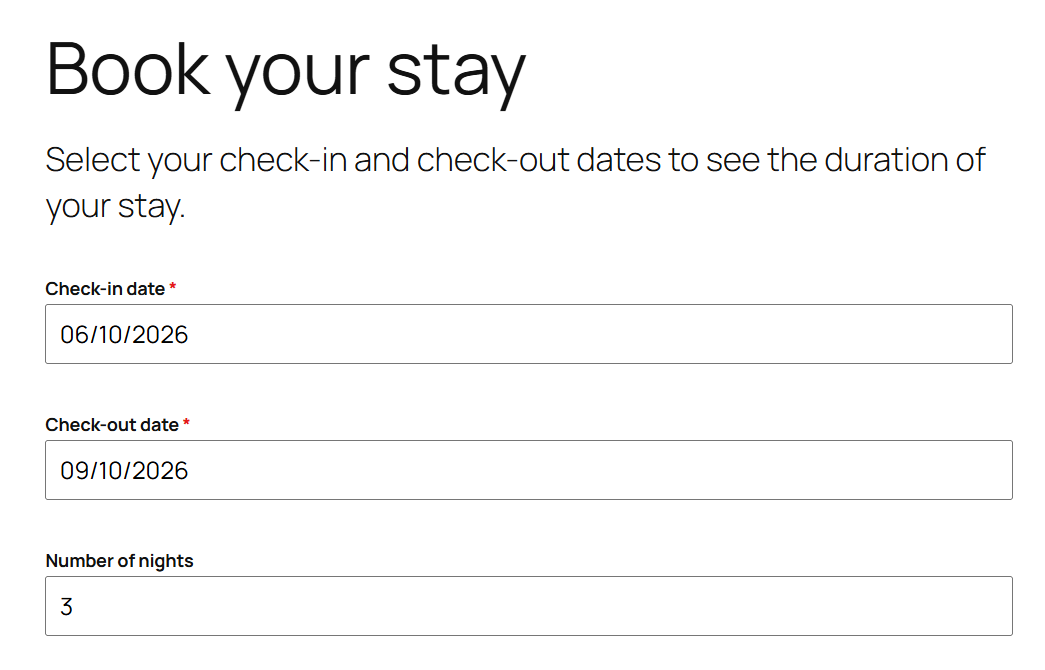
Visitors see the result update as they choose dates. On every submission, the plugin performs the calculation again on the server, so a value changed in the browser is never trusted. The calculated result can also be used by Forminator Calculation fields.
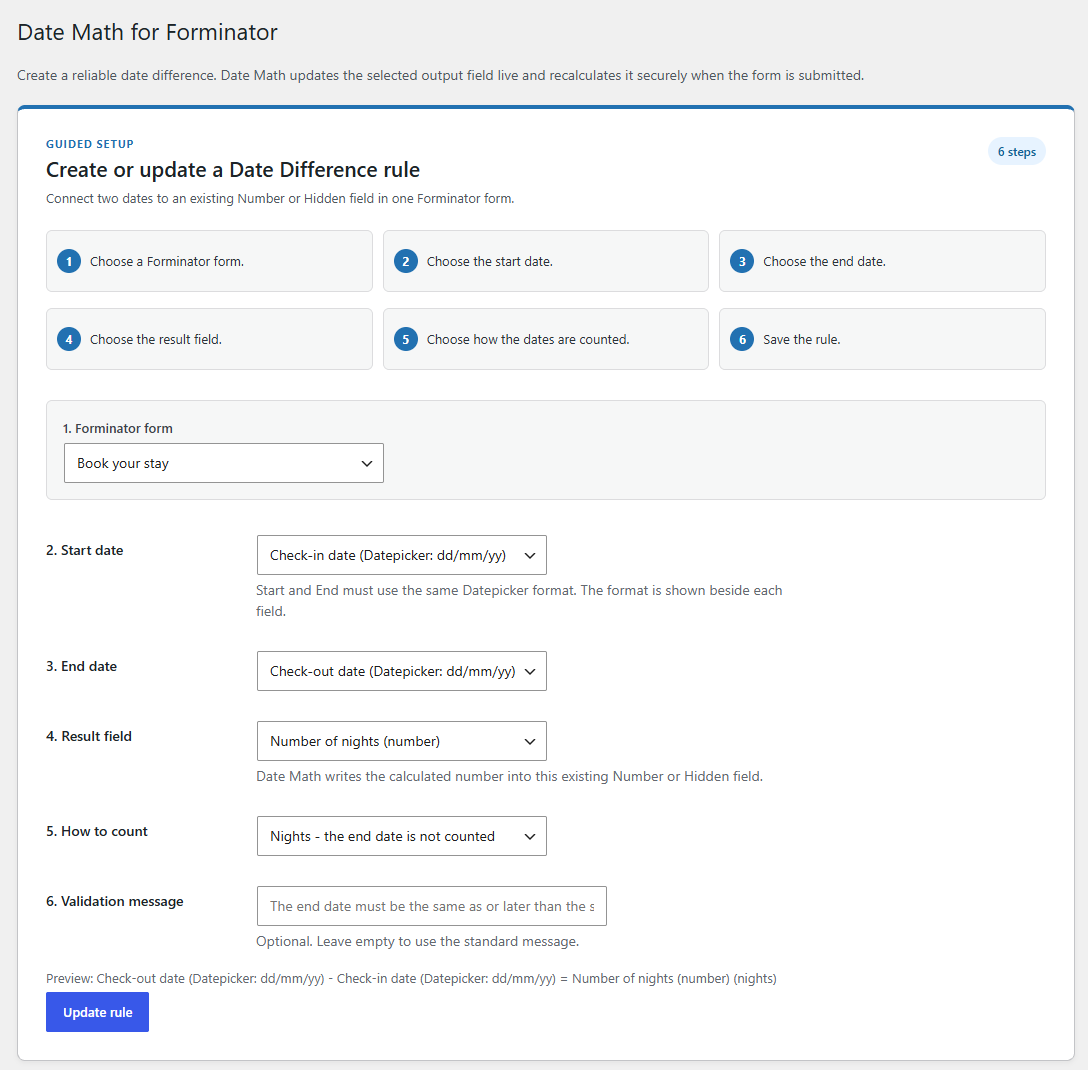
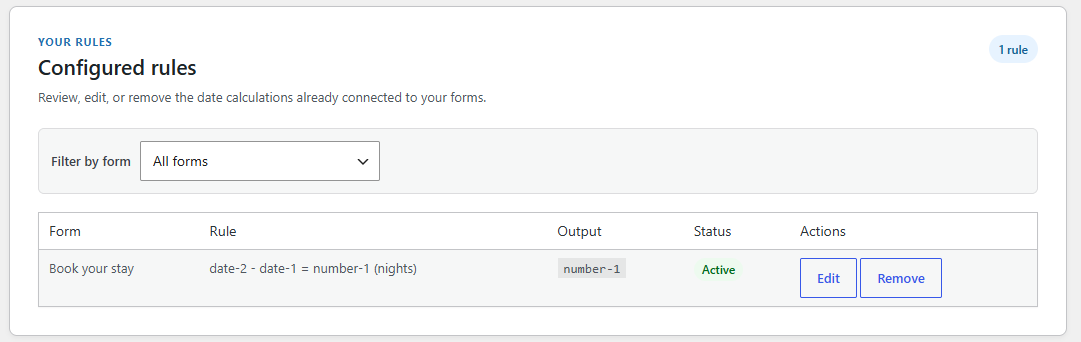
Create one Date Difference rule for each Forminator form. Choose Nights, Calendar Days, or Calendar Days including the end date, and set a clear message when the end date is before the start date.
The plugin does not edit WordPress or Forminator files. Create the fields in Forminator, then connect them in Forminator > Date Difference.
DayQuanta Date Difference for Forminator is an independent extension for Forminator and is not affiliated with or endorsed by WPMU DEV.
Ekran Görüntüleri
Yükleme
- Upload the plugin ZIP in Plugins > Add New > Upload Plugin.
- Activate DayQuanta Date Difference for Forminator and make sure Forminator is active.
- In Forminator, create a form with two Datepicker fields and one Number or Hidden field.
- Open Forminator > Date Difference, choose the form and connect the fields.
- Choose the calculation mode and save the rule.
The two selected Datepicker fields must use the same date format.
SSS
-
Does this plugin modify Forminator?
-
No. It uses Forminator’s normal plugin integration points and does not modify Forminator or WordPress files.
-
Which Forminator fields can I use?
-
Choose two supported Forminator Datepicker fields with the same format. The result can be written to an existing Number or Hidden field in the same form.
-
Which date calculations are available?
-
Choose Nights, Calendar Days, or Calendar Days including the end date. For example, a stay from 10 June to 13 June is 3 nights, 3 calendar days, or 4 calendar days including both dates.
-
Is the calculation secure?
-
Yes. The browser updates the visible result for convenience, but the server calculates it again on submission. A value altered in the browser is not trusted.
-
What happens if I change a field after saving the rule?
-
If a configured field is removed, changes type, changes date format, or its form is no longer published, the rule is marked Needs review and does not run until you review and save it again.
-
What happens when I uninstall the plugin?
-
The rule configuration is kept so it is available if you reactivate the plugin. The plugin does not store its own form submissions.
-
Does it work with AJAX-enabled Forminator forms?
-
Yes. The visible result updates in the browser, and the server validates and recalculates it when Forminator receives the submission.
İncelemeler
Bu eklenti için herhangi bir değerlendirme bulunmuyor.
Katkıda Bulunanlar ve Geliştiriciler
“DayQuanta Date Difference for Forminator” açık kaynaklı yazılımdır. Aşağıdaki kişiler bu eklentiye katkıda bulunmuşlardır.
Katkıda bulunanlar
“DayQuanta Date Difference for Forminator” eklentisini dilinize çevirin.
Geliştirmeyle ilgilenir misiniz?
Kodu görüntüleyin, SVN deposuna göz atın ya da RSS ile geliştirme günlüğüne abone olun.
Değişiklik Kaydı
1.0.0
- First public release.
- Secure Date Difference rules for Forminator Datepicker fields.
- Live result updates and server-side recalculation on submission.
- Nights and calendar-day calculation modes.
- Dashboard link from the WordPress Plugins screen to the configuration wizard.