
Açıklama
Otter is a Gutenberg Blocks page builder plugin that adds extra functionality to the WordPress Block Editor (also known as Gutenberg) for a better page-building experience without the need for traditional page builders like Elementor and Divi.
Hızlı bağlantılar 🔗
- Do you want to see Otter blocks in action before installing? SEE OTTER BLOCKS DEMO
- New to the Gutenberg Blocks ecosystem? Check out our article on GUTENBERG EXPLAINED
- Need any help with setup? Checkout our DOCUMENTATION
- Interested in Otter Pro? Here are more details about OTTER PRO
Otter Blocks ile şunlara erişebilirsiniz
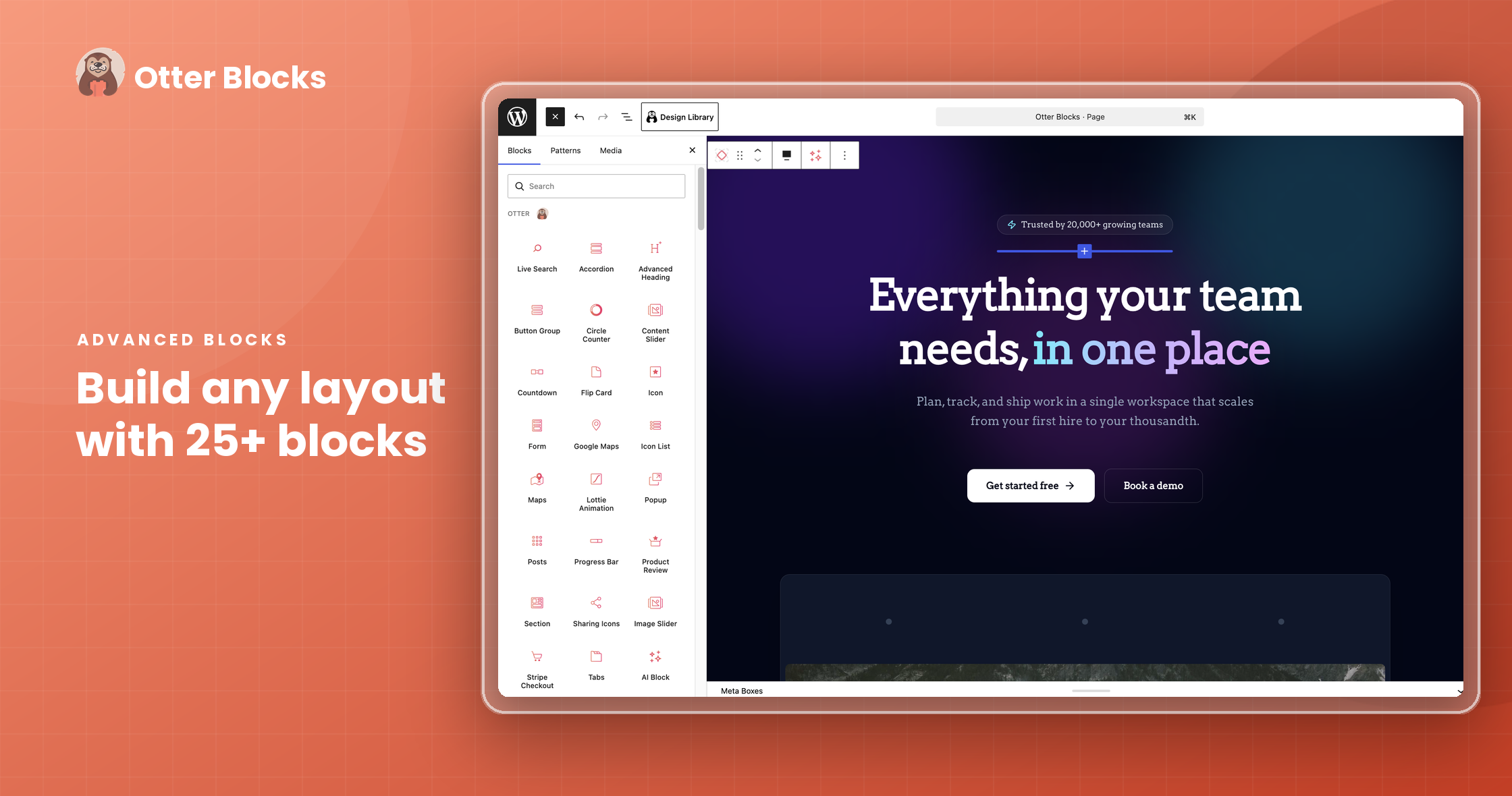
- Gutenberg için 20+ ekstra blok
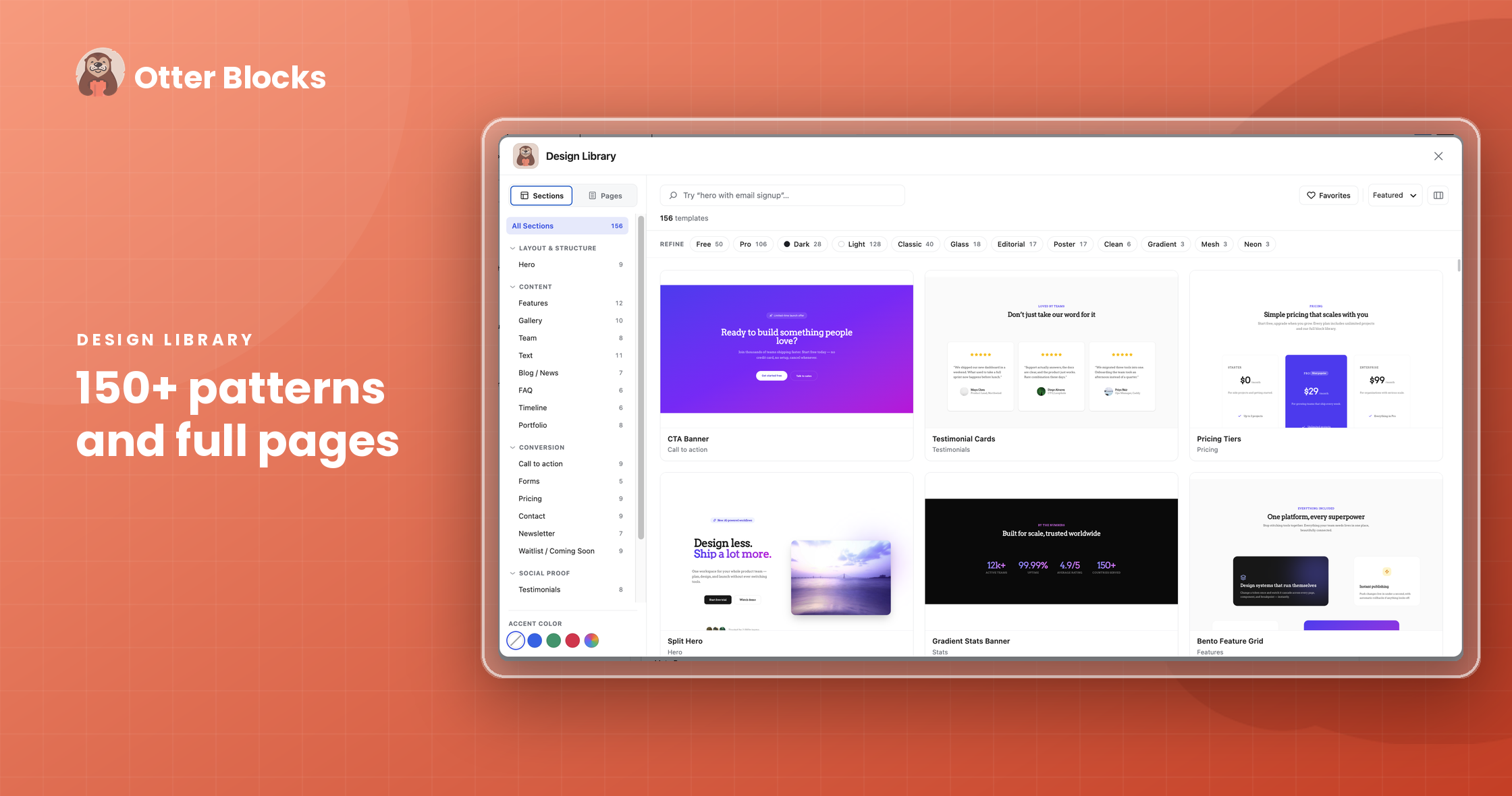
- Desen koleksiyonu
- Tam sayfa şablonlar
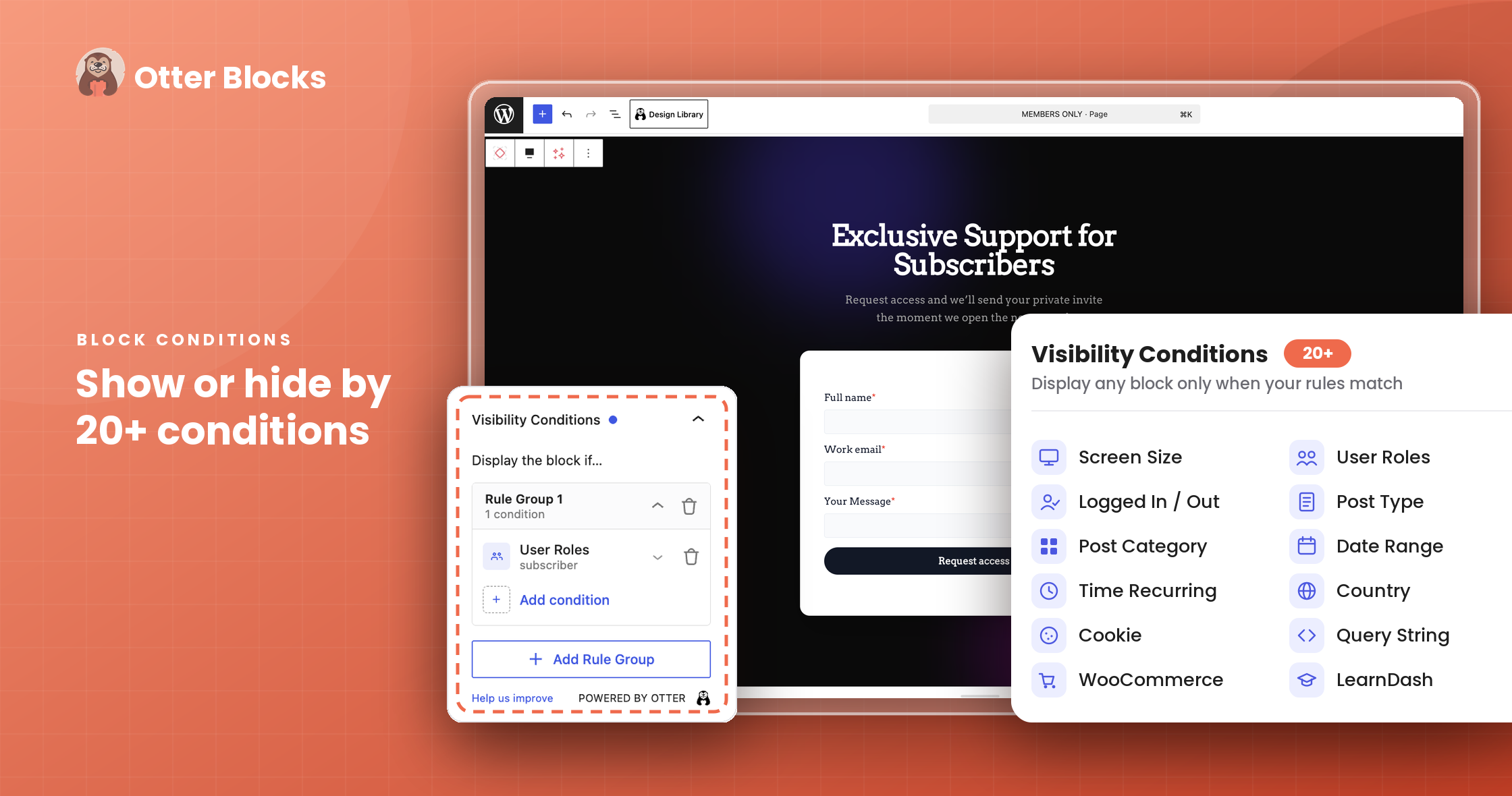
- Görünürlük Koşulları
- Özelleştirilmiş CSS
- Animasyonlar
- Dinamik içerik ve daha fazlası
Sitenizde bulunan üçüncü taraf blokları da dahil olmak üzere tüm bloklar için.
The Custom CSS block feature makes it possible to directly customize the CSS properties of any Gutenberg block on the page, while the Animation feature makes it quick and easy to add animations to any block to enhance the appeal of your different page blocks and sections.
With the Visibility Conditions feature by Otter, you can set which conditions should be met for your chosen blocks to be displayed on the page.
Patterns Library, contains a range of different elements in a variety of styles to help you build great pages. All of your website’s most important areas are covered: headers, testimonials, pricing tables, sections, and more.
Otter Blocks’a hızlı bir genel bakış için göz atın
Otter’ın Gutenberg blokları size nasıl yardımcı olabilir? 🤔
Bir WordPress Gutenberg blokları eklentisi
Otter adds 26+ amazing and useful blocks to make page building in Gutenberg a breeze!
More than just blocks, you need advanced customization options to give you control over style and appearance. With Otter, you’ve got it all.
Her blok, sitenizi vizyonunuza göre şekillendirmenize yardımcı olacak özelleştirme desteğine sahiptir:
- Birincil, vurgular ve arka planlar için renk kontrolleri.
- Tek bir tıklamayla animasyon destekleme, zıplama, solma, çevirme, döndürme, kaydırma, yuvarlama, ışık hızı ve daha fazlası.
- Aralıklardan yazı tipi seçimine kadar tipografi denetimleri.
Your AI Assistant for the Block Editor
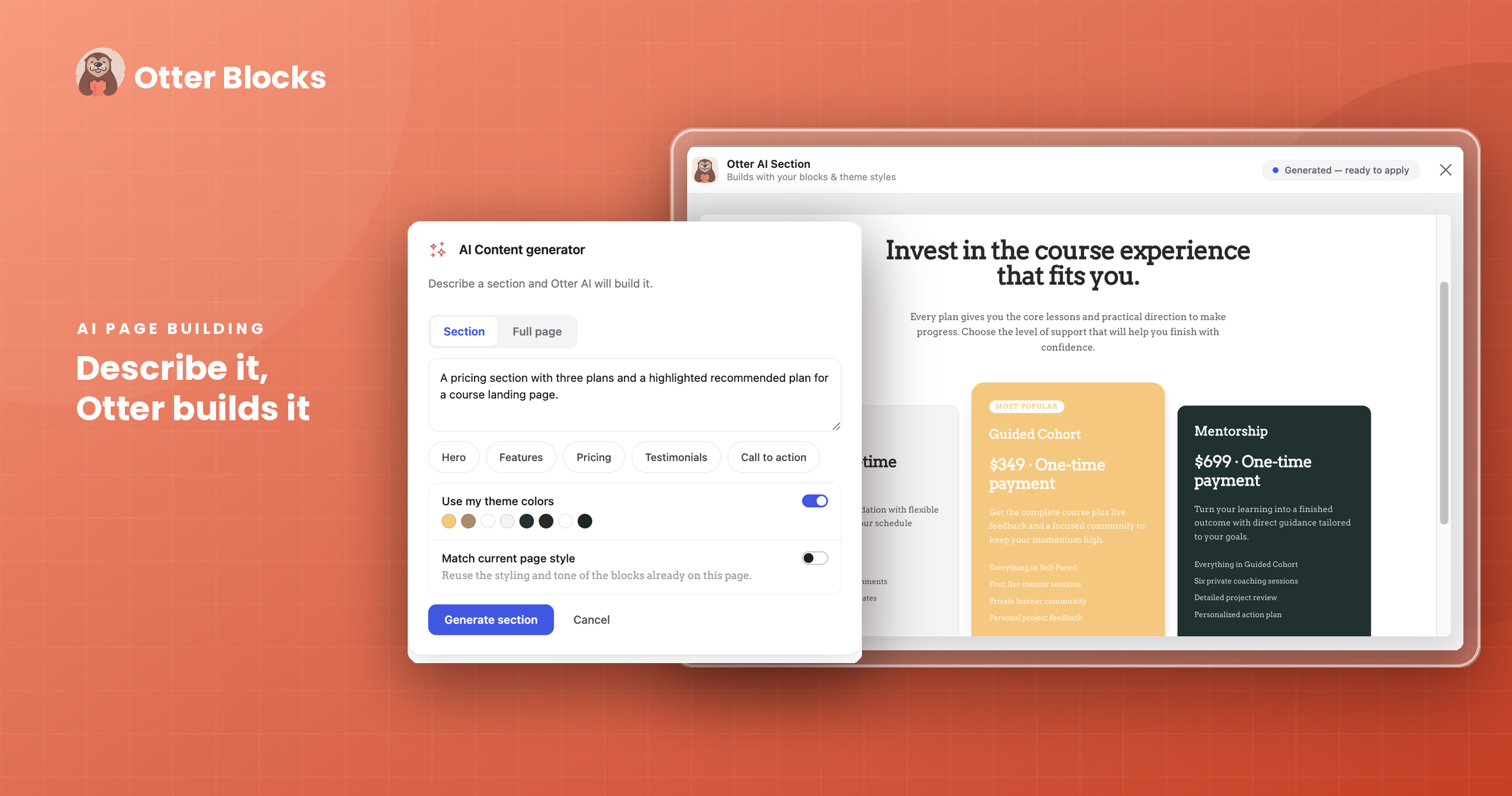
Otter brings AI right into the block editor to help you build, not just edit. Describe what you want, and Otter creates it as real, editable blocks.
-
AI Content Generator: Generate a full section or an entire page from a simple prompt with the AI Block. Pick a type like Hero, Features, Pricing, Testimonials, or Call to action, or describe your own. Otter matches your theme colors and current page style, so the result arrives on-brand.
-
AI Toolbar: Select any text to rewrite, summarize, expand, shorten, translate, change tone, fix grammar, or simplify it, all without leaving the page. You can also create your own custom actions with your own prompts and reorder the toolbar to fit how you work.
-
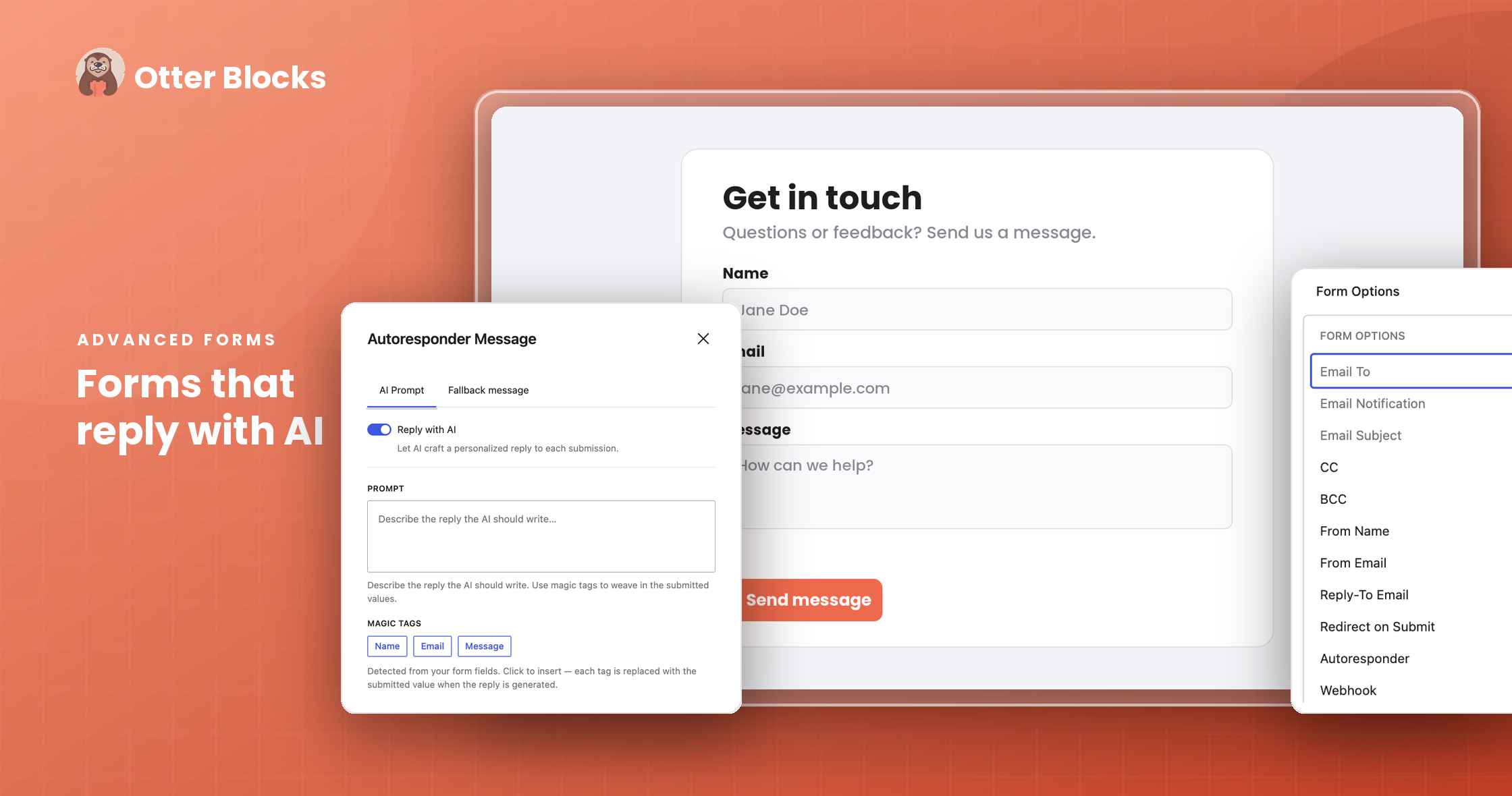
AI Form Autoresponder [PRO]: Reply to every form submission with a personalized, AI-written message. Write a prompt using your form fields, set a fallback message, and let AI craft the rest.
-
Native WordPress AI Connectors: Otter’s AI works with the native AI adapters in WordPress 7.0, so you connect your preferred AI provider once, and every Otter AI feature uses it.
Otter Blocks mobil uyumluluğu
Create mobile-friendly designs with Otter’s built-in responsive settings. Each block can be tweaked to provide a consistent experience for mobile, tablet, and desktop.
Bir WordPress Gutenberg blok koşulları eklentisi
Want to show certain blocks only when a user is Logged in or Logged Out? How about if they’re a customer of your store versus an editor for your blog or any other user role? With the Gutenberg Block Conditions feature available in Otter, it’s possible. Upgrade to the PRO version of Otter to unleash the power of more block conditions such as:
- URL Query String
- Tarih Aralığı
- Haftanın Günü
- Günün saati
- Sepetteki WooCommerce ürünleri
- WooCommerce toplam harcama
- WooCommerce sepet toplamı
- WooCommerce Kategorileri
- WooCommerce Etiketleri
- WooCommerce nitelikleri
- Çerez tabanlı
- Ve daha fazlası
Bir WordPress Gutenberg blokları animasyon eklentisi
WOW, your website visitors with amazing animations that can be added to any block on the page. With over 50+ animations available to choose from; Otter makes it possible to add some extra flare to any post or page on your website
Bir WordPress Gutenberg açılır pencere eklentisi
Popups are one of the oldest lead-capturing and notice-conveying techniques on the web. With the Gutenberg Popup Block available in Otter, you can create popups made from any other block available in Gutenberg!
Fine-tune your popups by setting when they should appear and how they can be closed. With our popup block, you gain access to multiple triggers such as on load, on exit, on anchor click, and on scroll.
Additionally, you can design your popup with custom overlays to align with your brand identity and capture more attention. Check live demo
Otter blokları için genel varsayılanlar
Tired of always having to set the same options every time you add a block to the page? With Otter, you can set the default configuration for some of the most commonly used blocks like the Section Block, Icon Block, Advanced Heading, and more.
Otter içinde bulunan bloklar:
Akordeon Gutenberg bloğu [ÜCRETSİZ]
Use this block to create vertically stacked lists of content that can be revealed or hidden with the click of a button; more commonly known as Accordions. Check live demo
Gelişmiş başlık Gutenberg bloğu [ÜCRETSİZ]
The heading block you didn’t know you needed. This Otter block has all the functionality of the default heading block with a few other capabilities like the ability to change the font, highlight parts of the text, and more. Check live demo
YZ Blok [ÜCRETSİZ]
Build with AI, right in the editor. Describe the section or page you want, and the AI Block generates it as real, editable Gutenberg blocks, matched to your theme colors and page style. Adjust anything by hand afterward, just like blocks you built yourself.
Düğme grubu Gutenberg bloğu [ÜCRETSİZ]
Create multiple buttons quickly and easily and show them vertically or horizontally based on the device the page is being viewed on. Check live demo
Geri sayım Gutenberg bloğu [ÜCRETSİZ]
Counting down to a big event? Show it by making use of these Gutenberg blocks. Count down from Days, Hours, Minutes, or Seconds. Check live demo
İletişim formu Gutenberg bloğu [ÜCRETSİZ]
Quickly and easily insert a contact form anywhere on the page. Optionally, turn the form into a lead-generating machine by integrating it with Brevo(Sendinblue) or Mailchimp. Plus, streamline data management with webhook integration and ensure enhanced security with hCaptcha integration. Check live demo
İçerik zaman çizelgesi bloğu [ÜCRETSİZ]
Elegantly display events in a chronological timeline. Ideal for highlighting historical events, process steps, or key milestones.
Content Slider Block [FREE]
A slider where every slide can hold any Gutenberg blocks, not just images. Add headings, text, buttons, images, or full layouts like testimonial, pricing, or feature cards inside each slide, then let visitors move through them with arrows or dots. Unlike a standard image slider, the Content Slider turns anything you build in Gutenberg into a swipeable carousel, with no extra plugin needed.
Dairesel ilerleme bloğu [ÜCRETSİZ]
Show your progress with a beautiful Circle Counter block. Check live demo
Dönen kutu bloğu [ÜCRETSİZ]
Creates a card with a flip effect, where you can insert any content or blocks available in Gutenberg. Check live demo
Simge listesi Gutenberg bloğu [ÜCRETSİZ]
Supercharge boring point lists by using custom icons as the pointers. Check live demo
Simge Gutenberg bloğu [ÜCRETSİZ]
Display any icon from Font Awesome or our own list of custom icons anywhere on the page. Change colors, add borders, and couple with other blocks to enhance the look of your page. Check live demo
Lottie animasyonu Gutenberg bloğu [ÜCRETSİZ]
Have you heard about Lottie? Awesome! With Otter’s Lottie Animation Gutenberg Block, you can display Lottie animations anywhere in Gutenberg. Check live demo
Harita Gutenberg bloğu [ÜCRETSİZ]
Choose between either an Open Street Map or Google Maps block and create markers for your points of interest for your website visitors. Our Maps block helps you customize the map experience right down to the color and description of the markers, search for places by name or coordinates, add and remove map controls, or change the size and style of the maps with a few clicks. Check live demo
İlerleme çubuğu bloğu [ÜCRETSİZ]
Show your progress with a beautiful Progress Bar block. Check live demo
Yazılar Gutenberg bloğu [ÜCRETSİZ]
Use this block to insert items from posts, pages, and custom post types into the current page being edited. The Posts block allows displaying a certain number of posts on different pages. Customizations available for this block cover areas such as styles, post types, settings, designs, and layout.
Ürün incelemesi Gutenberg bloğu [ÜCRETSİZ]
Blogging about a product you love? Or maybe you run a review website? Use this block to create a review table for the item and list its features, pros and cons as well as optional buy links. Check live demo
Açılır pencere Gutenberg bloğu [ÜCRETSİZ]
Create stunning popups and fine-tune when they should appear and how they can be closed. Check live demo
Slider Gutenberg Block [FREE]
Use this Gutenberg block to create image sliders on any Gutenberg page. Settings include slider height, delay, slides per page, autoplay, and more. Check live demo
Section Gutenberg Block [FREE]
A column block on steroids! This block allows you to create a section with up to 6 columns that can each have a custom background color, image, or gradient. Use this block’s responsive features to set the padding and margin for desktop, tablet, and mobile displays. Check live demo
Stripe Checkout [FREE]
This block will be very useful if you want to sell a couple of products without setting up a whole store, such as ebooks, some licenses, etc.
Paylaşım simgeleri bloğu [ÜCRETSİZ]
Share buttons for your website visitors to share content on any social sharing service. Check live demo
Sekmeler Gutenberg bloğu [ÜCRETSİZ]
Use this block to create horizontally stacked lists of content that can be revealed or hidden with the click of a button; more commonly known as Tabs. Check live demo
Sepete ekle Gutenberg bloğu [PRO]
Drop an Add to Cart button block for any WooCommerce product anywhere on the post or page that you’re editing.
Çalışma saatleri Gutenberg bloğu [PRO]
Create a beautifully styled Business Hours table and fine-tune its settings until it’s perfect.
Canlı arama [PRO]
The Live Search feature enhances the core block Search by adding two additional attributes ( isLive and postTypes ) that can be set inside the inspector under the Live Search panel.
Açılır pencere [PRO]
Implement modal dialogs for an interactive experience, displaying forms, content, or announcements directly within the page layout.
İnceleme karşılaştırma tablosu [PRO]
Get ready to impress your readers with Otter’s “Review Comparison Table” block. Effortlessly create professional-looking product comparison tables for your blog or website.
We’re constantly adding new Gutenberg Blocks to Otter to assist in your website page building. Feel free to tell us what we’re missing on our Support Forum! Some other blocks include:
Otter içinde içe aktarmaya hazır desenler ve tam sayfa şablonlar:
Easily launch your site with our customizable patterns and full-page WordPress templates. Import ready-made designs with just one click and get started in no time.
Explore a wide range of Otter patterns and full-page templates for services, testimonials, pricing, features, call-to-action sections, and more. Browse the available designs here.
Otter Pro’da daha fazla seçenek edinin 🤩
WooCommerce oluşturucu blokları
Build custom Single Product Pages using WooCommerce Builder Blocks by Otter. All the new features are designed to maximize your conversion rate and bring more improvements.
With Otter Pro, you get a lot more features, including:
- Sepete ekle bloğu
- Çalışma saatleri bloğu
- Modal Block
- Ürün inceleme karşılaştırma bloğu
- Canlı arama bloğu
- Pro Add-ons for Free Blocks
- Daha fazla dinamik içerik seçeneği
- Daha fazla görünürlük koşulu seçeneği
- More Patterns & Full-page templates
- ve daha fazlası!
You can try a live demo of Otter Blocks – no setup required. Click here to try it out.
Otter kimler içindir? 👀
- Anyone looking to bring out the best features of the new Gutenberg Editor with useful and easy-to-use Gutenberg blocks.
- Anyone thinking of moving away from traditional page builders like Elementor and Divi Builder in favor of the new Gutenberg Block Editor.
- Rekor sürede hızlı Gutenberg sayfaları oluşturmak isteyen herkes.
- Kullanıcının oturum açma/kapatma durumu gibi koşullara bağlı olarak Gutenberg bloklarını gizlemeye/göstermeye çalışan herkes.
- Gutenberg bloklarına animasyon eklemeye çalışan herkes.
Bazı kullanım örneklerine bakalım 🚀
-
Travel Bloggers: Enhance your travel blog with captivating maps using Otter’s Maps and Google Maps blocks to showcase your journeys to the world.
-
Non-Profit Organizations: Engage your audience and promote your cause with Otter’s Circle Counter and Testimonial blocks to share inspiring success stories.
-
Bloggers: Enhance your blog posts with Sharing Icons, creating easy sharing options for your readers. Use Slider to display image galleries and engage your audience.
-
Content Creators and Digital Product Sellers: Stripe checkout gutenberg block offers a convenient way to sell digital products, such as e-books, online courses, software licenses, or digital artwork, without the need to set up a full-fledged online store. By integrating this block, you can provide a streamlined and secure checkout experience to customers.
-
Product Reviewers: Create informative and attractive product review comparisons with a Review Comparison Table, helping users make informed decisions.
-
Restaurant Owners: Display your business hours in a stylish format using Business Hours blocks, making it easy for customers to find you.
Katkıda bulunan olun 💁♂️
Otter Blocks is an open-source project, and we welcome contributors to be part of our vibrant community! Help us improve the plugin and make it even better – GitHub Link
Faydalı kaynaklar 📌
- WordPress hakkında daha fazla bilgiyi blogumuzdan okuyabilirsiniz.
- Interested in our other plugins? Take a look here.
- Get the most out of Otter Blocks with our helpful YouTube Tutorials Playlist.
The plugin is relying on the service behind api.themeisle.com for accessing the patterns list, AI prompts and Onboarding. No account is required to access the service template collection and the privacy policy can be found here.
Ekran Görüntüleri
Bloklar
Bu eklenti 18 blok sağlar.
- Icon An inline SVG icon from the Lucide icon set.
- Image A simple image element. Set via media library or direct URL.
- Link An anchor element with link picker and rich text.
- Text A rich text element with tag selection.
- Box A generic wrapper element with tag selection and inner blocks. Supports details and summary tags for native disclosure widgets.
- Tabs Organize and allow navigation between groups of content with Tabs block. Powered by Otter.
- Content Slider A lightweight slider where each inner block becomes a slide. Powered by Otter.
- Popup Display your content in beautiful popup with many customization options. Powered by Otter.
- Form Display a form for your clients. Powered by Otter.
- Lottie Animation Add Lottie animations to your WordPress. Powered by Otter.
- Maps Display Open Street Maps on your website with Maps block. Powered by Otter.
- Modal Display your content in beautiful Modal with many customization options. Powered by Otter.
- Google Maps Display Google Maps on your website with Google Map block. Powered by Otter.
- Circle Counter Show your progress with a beautiful Circle Counter block. Powered by Otter.
- Progress Bar Show your progress with a beautiful Progress Bar block. Powered by Otter.
- Accordion Vertically collapsing accordions perfect for displaying your FAQs. Powered by Otter.
- Image Slider Minimal image slider to showcase beautiful images. Powered by Otter.
- Countdown Set a countdown for a date. Powered by Otter.
Yükleme
Otomatik Kurulum
Otter eklentisini indirmek ve kurmak için aşağıdaki adımları izlediğinizden emin olun:
- Navigate to the WordPress Dashboard > Plugins.
- Click the Add New button and type in the Search Bar “Otter Blocks”.
- When the plugin appears, click on the Install button and then on Activate.
Manuel Kurulum
- Log into your website admin page, then go to Appearance > Plugins. You will see all the plugins currently installed in your dashboard listed there.
- Yeni bir WordPress eklentisi yüklemek için Yeni ekle sekmesine tıklamanız yeterlidir.
- WordPress başlangıç ekranındaki Eklenti yükle düğmesine tıklayın.
- Click the Choose File button, select the ZIP archive of the Otter Blocks plugin from your local computer, and press the Install Now button.
- “Eklenti başarıyla yüklendi” mesajının altındaki Etkinleştir düğmesine tıklayın.
Eklentiyi FTP kullanarak yüklemek istiyorsanız, bununla ilgili detaylı açıklamayı görmek için buraya tıklayın.
SSS
-
Otter Blocks ücretsiz mi?
-
Otter comes in both free and premium versions. The premium version offers a wider variety of blocks and multiple options to customize them, compared to the free version.
-
Otter ile hangi sayfa oluşturucu uyumludur?
-
Otter provides blocks for Gutenberg, the default WordPress editor, and page builder.
-
Otter’ı herhangi bir WordPress temasıyla kullanabilir miyim?
-
Elbette, Otter herhangi bir WordPress temasıyla uyumludur.
-
Nereden yardım alabilirim?
-
If you encounter any difficulties or if you have questions about Otter, you can create a ticket on our support forum. Also, feel free to check our documentation to find out more about the features within the plugin and how to use it to its full potential.
-
Desenler nelerdir ve bunları nasıl kullanabilirim?
-
The Patterns have been designed to make it easier for you to build your site using predefined blocks that can be then customized according to your needs. You can take a look at our dedicated documentation to find out all you need to know about the Patterns.
-
How to report a security issue?
-
Plugin security is a core priority for us. If you identify a potential vulnerability, we ask that you disclose it responsibly.
Please follow the reporting protocols outlined on our Security Page.
İncelemeler


Katkıda Bulunanlar ve Geliştiriciler
“Otter Blocks – Gutenberg blokları, Gutenberg düzenleyicisi & tam site düzenleme için sayfa oluşturucu” açık kaynaklı yazılımdır. Aşağıdaki kişiler bu eklentiye katkıda bulunmuşlardır.
Katkıda bulunanlar


“Otter Blocks – Gutenberg blokları, Gutenberg düzenleyicisi & tam site düzenleme için sayfa oluşturucu” 20 dile çevrildi. Katkıda bulundukları için çevirmenlere teşekkürler.
Geliştirmeyle ilgilenir misiniz?
Kodu görüntüleyin, SVN deposuna göz atın ya da RSS ile geliştirme günlüğüne abone olun.
Değişiklik Kaydı
Version 3.2.7 (2026-09-29)
- Fixed custom block CSS missing from posts on archive pages.
- Updated dependencies.
- Fixed permission checks for form submissions widget.
- Added AI agent support: let AI assistants read and change your Otter forms and settings.
- Fixed frontend pages failing when Otter could not load a block style.
- Fixed frontend crashes when Otter could not load a plugin class.
- Fixed unequal card and featured image widths in the Posts Block grid.